Security | Threat Detection | Cyberattacks | DevSecOps | Compliance

Find Security Flaws in Your Dart & Flutter Applications: Veracode Expands Mobile Application Security Support

Veracode recently released Static Analysis support for Dart 3 and Flutter 3.10. This makes it possible for developers to leverage the power of Dart and Flutter and deliver more secure mobile applications by finding and resolving security flaws earlier in the development lifecycle when they are fastest and least expensive to fix.

The Role of Leadership in Successful DevSecOps Adoption

Customer Speakers: Woolworths | Pablo Reyes, AppSec Lead Shopback | Dipin Thomas, Engineering Manager Coinhako | Metarsit Leenayongwut, Engineering Manager Snyk helps software-driven businesses develop fast and stay secure. Continuously find and fix vulnerabilities for npm, Maven, NuGet, RubyGems, PyPI and more.

SBOMs and Security: What DevSecOps Teams Need To Know?

DevSecOps is an impeccable methodology that combines development, operations (DevOps), and security practices in the Software Development Lifecycle (SDLC). In this methodology, security comes into play from the beginning and is a shared responsibility instead of an afterthought. However, with the ever-evolving digital landscape, and continuous use of third-party and open-source components, DevSecOps teams need to fortify this methodology to minimize the risk and make their software more resilient.

Introducing JFrog Curation

JFrog Curation is an automated DevSecOps solution designed to thoroughly vet and block malicious open source or third-party software packages and their respective dependencies before entering an organization’s software development environment. With JFrog Curation enterprise companies can: Find out more about what's under the hood with JFrog Curation in this informative webinar.

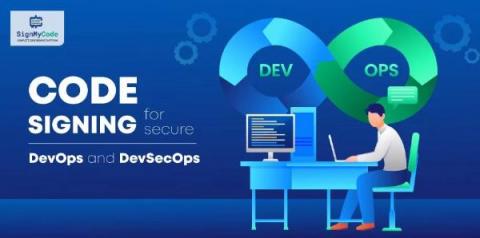
Code Signing for Secure DevOps and DevSecOps: Centralized Management and Automation

Today’s fast-paced digital landscape requires quick actions and top-notch safeguarding. Code signing is crucial in providing that security, but teams must approach the process effectively. Unfortunately, managing digital certificates, a vital component of code signing, often becomes complex and error-prone for organizations, leading to potential risks and vulnerabilities.

How to use the impact security page in Jit

Welcome to Jit, In this video, we'll show you how to use the security impact page! This page contains statistics on how Jit has impacted your security posture, developing velocity and coverage. Developers love choosing their own tech stack, and it's time for us, DevSecOps pros, to do the same. With Jit's orchestration framework, you can choose the security tools you want for your tech stack.

How to work with Jit's backlog

Welcome to Jit! In this video, we'll introduce the "Backlog" page. This page displays all the vulnerabilities that Jit has found upon onboarding and forward. To open a finding in the Backlog window, simply click on it. On the right, you can see details of the finding, such as where it is located in GitHub and which tool was used to find it. If you want to ignore multiple findings, no problem. You can easily change their status. You can filter the backlog by choosing a specific tool from the drop-down menu. In this example, we are filtering by "KICS", one of our cloud security tools.