Security teams can spend years tuning DLP rules for the tools they know about. But, then an employee will paste a customer list into an AI assistant that did not exist on any policy six months ago, and the rule never fires. The tool was not on the list, and once the data returns as a summary, it no longer matches the pattern a rule was written for either, creating risk the security team is completely blind to. A bigger rule set does not close this new risk gap.
Privileged Access Management (PAM) helps small businesses control, monitor and secure access to sensitive systems, administrator accounts and business-critical applications. It reduces the risk of credential theft, excessive permissions and unauthorized access, without requiring a large IT or security team. Small businesses are now one of the most targeted groups by cybercriminals. Attackers know that SMBs often run on lean IT teams, shared credentials and minimal oversight of who can access what.
See CrowdStrike Falcon Data Security for SaaS in action and learn how to discover, classify, and protect sensitive data across Microsoft 365. See how security teams can identify sensitive data in SharePoint and OneDrive, prioritize exposure, automatically apply Microsoft Sensitivity Labels, reduce unintended Microsoft Copilot exposure, and extend protection with just-in-time access.
A model built on industry data produces an industry answer. The obvious next step is to calibrate it to the specific environment, and the obvious place to start is the threat picture, because every organization believes its own is distinctive. It is the wrong parameter to start with. Some inputs should stay general, some must be local, and the ones that must be local are the harder ones to observe, which is why they get left at a default.
Plenty of material explains what ISO/IEC 42001 contains. Clause by clause, control by control, with a checklist of documents to prepare. The standard itself is a management system specification rather than a control catalogue, and the distinction is where audit preparation goes wrong. The checklists share one omission.
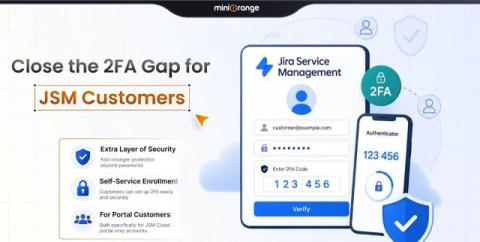
Atlassian Guard protects your employees through SSO and MFA. It does not cover portal-only customer accounts. However, customers need to access your Jira Service Management (JSM) portal to raise tickets and do so securely. But they often use portal-only accounts, which, in most cases, are protected only by a password. You’ll have security gaps if they don’t authenticate the same way as your employees. You must understand what the limits of Atlassian Guard are.
Ask an AWS security team how many accounts they run, and the honest answer is usually a range. Enterprises on AWS operate anywhere from 100 to 5,000 accounts. Most security teams can see only a fraction of them. That gap is why we built Wallarm Infrastructure Discovery. This week, it was named Enterprise Cloud Security Solution of the Year in the 10th annual CyberSecurity Breakthrough Awards. Here's what it does, and why the judges picked it.
There is a moment in security operations that has become increasingly familiar: nothing looks obviously wrong. The login is valid. The employee has the right permissions. The AI agent is using credentials it was legitimately given. And yet something has changed. That change is often where the real story begins.