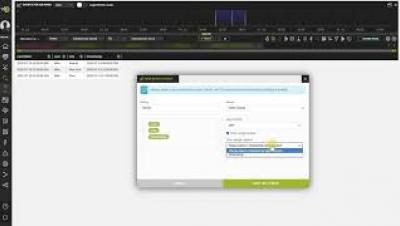
Time range lookups
Table of Contents:
00:00 - Introduction
00:07 - Concept of Time Range Lookup
00:34 - Example of Time Range Lookup
01:32 - Creating a Time Range Lookup
02:20 - Using a Time Range Lookup
Table of Contents:
00:00 - Introduction
00:07 - Concept of Time Range Lookup
00:34 - Example of Time Range Lookup
01:32 - Creating a Time Range Lookup
02:20 - Using a Time Range Lookup
Table of Contents:
00:00 - Introduction
00:21 - Pretty-Print View: Concept
00:46 - Pretty-Print View: Visualization
01:22 - Pretty-Print-View: Extraction
With the new normal adding several more challenges and variables to the security layer, how do you ensure your data is safeguarded without increasing the workload or the headcount of your security team? Using advanced analytics, in tandem with endpoint monitoring applications such as ManageEngine’s Mobile Device Manager Plus and Desktop Central, will help you better visualize and analyze your endpoint data, identify patterns, and establish correlations.
Threat hunting is one of the most critical activities performed by SOC teams. Once an alert triggers and a tier-1 analyst assesses it and sends it up the line for further evaluation by a more senior analyst, the race is on. Hunting down the threat as quickly as possible, before it can wreak havoc on the organization, becomes the top priority.
The Splunk Security Research Team has been working on new improvements and additions to the Splunk Attack Range, a tool that allows security researchers and analysts to quickly deploy environments locally and in the cloud in order to replicate attacks based on attack simulation engines. This deployment attempts to replicate environments at scale, including Windows, workstation/server, domain controller, Kali Linux, Splunk server and Splunk Phantom server.