Security | Threat Detection | Cyberattacks | DevSecOps | Compliance

Audit Policy: Object Access: SAM

Audit Policy: Object Access: SAM is a setting in the Windows operating system that controls the auditing of security events related to access to the Security Accounts Manager (SAM) database. The SAM database is used to store user account information, including login credentials, on a Windows system. When the setting is enabled, the system will generate an audit event in the security log of the event viewer every time an attempt is made to access the SAM database.

Why Open Source License Management Matters

The ongoing rise in open source vulnerabilities and software supply chain attacks poses a growing threat to businesses, which heavily rely on applications for success. Between 70 and 90 percent of organizations’ code base is open source, while vulnerabilities such as Log4j have significantly exposed organizations to cyberattacks.

CircleCI Breach: How to Rotate All Stored Secrets ASAP

Yesterday, CircleCI, a Continuous Integration/Continuous Delivery (CI/CD) service, notified the world it had been breached via a critical advisory from its CTO. As a major software delivery pipeline service, CircleCI users store myriad credentials for various services in CircleCI’s “Secrets Store” infrastructure.

How to Make a Case for Buying SCA

The ongoing rise in open source vulnerabilities and software supply chain attacks poses a significant risk, and it will only increase. According to the Mend Open Source Risk Report, modern security best practices such as software composition analysis (SCA) are vital for stemming the rising tide of open source vulnerabilities in applications and software.

Audit Policy: Object Access: File System

Audit Policy: Object Access: File System is a setting in the Microsoft Windows operating system that determines whether the system generates audit events when certain actions are taken on files and directories stored on the file system. When this setting is enabled, the system will log events such as when a file or directory is read, written to, or deleted. This can be useful for tracking changes to sensitive files or for troubleshooting issues with file access.

SFTP: a More Secure Successor to SCP

Copying files between computers is a common task, and there are a lot of protocols designed to do just that. But not all protocols are created equally. Many people use the popular OpenSSH scp command to transfer files, but few understand the risks surrounding it. This blog post will attempt to explain what the SCP and SFTP protocols are, how they work, and why SFTP should be used wherever possible.

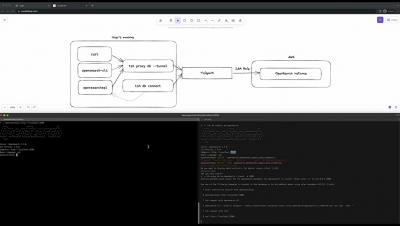
GitGuardian Public Monitoring demo - protect your attack surface on GitHub

GitGuardian scans GitHub round the clock for companies' exposed secrets and alerts their security teams before it’s too late. This short demo shows exactly how GitGuardian's Public Monitoring platform can help you identify your developers on GitHub, even when using personal accounts, monitor your perimeter for secrets leaks, and help you collaborate with developers to remediate exposure.