Security | Threat Detection | Cyberattacks | DevSecOps | Compliance

How to build secure agent swarms that power autonomous systems in production

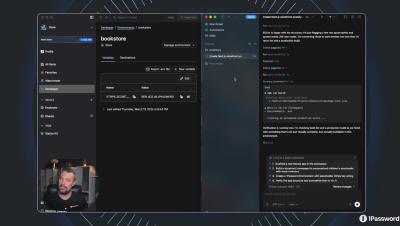
We worked with the Autonomy team to show how 1Password can secure agent swarms using a safer pattern: just-in-time, least-privilege access, without inheriting broad device, cloud, or infrastructure permissions, and without hardcoding secrets into agents.

Solving the unsanctioned SaaS problem

Unsanctioned SaaS and shadow IT are problems every organization deals with. When procuring a new SaaS tool is a few clicks, an email, and a credit card away, it’s never been easier for unsanctioned apps to increase across the business. Often, this is outside IT’s line of sight, outside security controls, and outside standard provisioning/deprovisioning processes.

1Password and 60 Day Hustle: cybersecurity for small businesses

Small businesses can’t afford to wait when it comes to securing their business. Still, cybersecurity can be complex, and any entrepreneur will tell you that there’s already a lot to keep track of when starting and running a company. For small businesses dealing with limited (or nonexistent) IT and security teams, it’s important that their cybersecurity tools are both simple to use and efficient.

Security advisory for AI-assisted browsing interactions with the 1Password browser extension

This advisory describes an ecosystem-level risk that emerges when AI agents are able to autonomously read and act on untrusted content while operating with user-level permissions in a web browser.

Why Organizations Need Both IGA and PAM

As organizations develop modern Identity and Access Management (IAM) strategies to defend against advanced cyber threats, it’s essential to implement both Identity Governance and Administration (IGA) and Privileged Access Management (PAM) as part of a defense-in-depth approach. PAM provides granular control and monitoring of privileged accounts at runtime, while IGA ensures appropriate access is approved, governed and reviewed throughout the identity lifecycle.
Featured Post

Passwords a necessary evil: Are we ready for a passwordless world?

For decades, passwords have been the gatekeepers of our digital lives. From logging into emails and banking apps to accessing social media and workplace systems, passwords have been the standard tool for authentication. Yet, as cyberattacks grow in sophistication and frequency, and as users juggle dozens of complex logins, it's clear that passwords are not only inconvenient, but they are increasingly insecure.

How to Import Your Passwords Into Keeper

Keeper Web and Desktop App version 17.5 integrates an improved import experience that guides you through uploading your passwords from web browsers, other password managers or a text file. You can then review, edit and customize how you would like the new records to appear in your vault within an easy to use field mapping interface.