Security | Threat Detection | Cyberattacks | DevSecOps | Compliance

Survey: Holiday scammers are getting bolder with AI, and Americans are taking the bait

1Password surveyed 2,000 American adults to learn how people are protecting themselves from phishing scams this holiday season (“phishing” refers to all those scammy emails, shady texts, and fake ads, where hackers try to trick people into clicking a link that lets them steal money or information). What we learned is that holiday scams are getting bolder and harder to spot, thanks to the help of AI. Here are some of the other most eye-opening findings.

Keeper Desktop Now Available on the Linux Snap Store

With the release of Desktop and Web Vault Update 17.4, Keeper Security’s desktop app is now available on the Linux Snap Store, bringing zero-trust, zero-knowledge password management and digital vault functionality to millions of Linux users. Designed with performance, privacy and platform flexibility in mind, Keeper delivers a secure solution that empowers users to manage their credentials and secrets without compromise.

What is Credential Abuse?

Credential abuse occurs when cybercriminals use stolen or leaked credentials to gain unauthorized access to online accounts and critical systems. As part of broader cyber attacks, credential abuse is a highly effective attack vector, especially when many people reuse the same password across multiple accounts. Credential abuse can lead to data breaches, identity theft, financial loss and lasting reputational damage for both individuals and organizations.

Europe 2025: How Organisations Can Protect Data and Identity at Scale

The European Union (EU) is redefining its digital landscape with sovereignty, security and trust at the core. In the 2025 EU State of the Union, Commission President Ursula von der Leyen outlined a bold vision: sovereignty, resilience, data protection and digital identity. These priorities reflect a reality where security, privacy and accountability are not only regulatory demands but also competitive advantages.

The enterprise AI crisis: Unsanctioned tools and unenforced policies

Unsanctioned AI tools. Patchy access controls. Unmanaged apps and devices. And of course, compromised credentials. These are the issues revealed in the 1Password Annual Report 2025: The Access-Trust Gap. The report is based on a survey of over 5,000 knowledge workers, IT and security professionals, and CISOs, and it captures a moment of profound technological and cultural transition.

An Identity Security taxonomy for Agentic AI

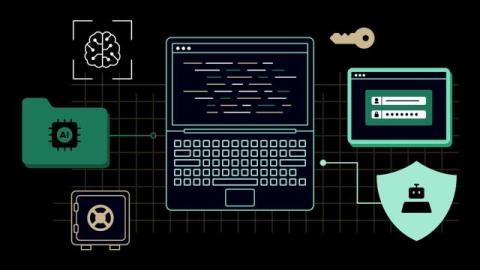
Agentic AI is a fundamentally new paradigm. AI agents can interact with various tools and act dynamically and probabilistically as they encounter new inputs. That means they end up falling somewhere between an application and a user in terms of how they operate. Indeed, the interaction with other applications is what gives agentic AI its power; however, this also has implications for identity security and access management.

How KeeperPAM Integrates With IGA Platforms

Identity Governance and Administration (IGA) plays an important role in determining who should have access to sensitive data and when that access should be granted. While IGA sets the ground rules for privileged access, Privileged Access Management (PAM) focuses on how that access is granted, used and audited. Integrating these two systems is crucial for organizations to achieve enterprise-wide zero-trust security and least-privilege access enforcement.

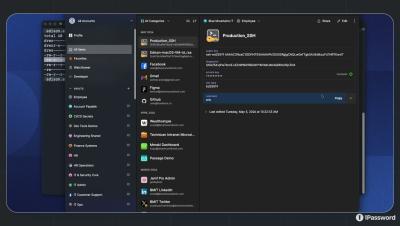
Introducing new .env file support in 1Password environments

The new.env destination in 1Password environments makes it easy for developers to use and collaborate on.env files securely, right from the desktop app. 1Password environments provide a secure workspace to store, organize, and manage project secrets – the same credentials you would normally handle as environment variables. Each environment acts as a dedicated space for a project or app, helping teams manage and maintain consistent credentials.

Securing The Win Episode Two: Mark Hazelton

In this episode of Securing the Win, Oracle Red Bull Racing’s Chief Security Officer Mark Hazelton joins Calum Nicholas to reveal how the team protects its most valuable asset — data. From espionage scandals to modern cyber threats, Hazelton shares how F1’s fastest team stays secure in a digital world where every millisecond — and every password — counts.