Security | Threat Detection | Cyberattacks | DevSecOps | Compliance

Meet GitGuardian's AI Assistant: Natural Language Queries Across All Your Incidents

See how the GitGuardian Assistant helps teams investigate, understand, and remediate secret incidents directly from the GitGuardian workspace. In this preview, Mathieu and Dwayne walk through how the assistant uses incident context, workspace details, and GitGuardian documentation to answer questions, suggest next steps, and help manage incidents through natural language. It can explain threat patterns, assess scope and impact, recommend remediation steps, assign incidents, update tags, and propose changes to incidents.

Navigating With GitGuardian Workspace Quick Access

GitGuardian Workspace Quick Access helps you move through the platform faster with one unified search experience. In this video, we walk through how to open Quick Access with Ctrl+K, or Cmd+K on Mac, search across platform pages and public documentation, navigate results with keyboard shortcuts, and jump directly to the section you need. Quick Access respects your permissions and workspace configuration, so results stay relevant to the pages, features, and docs available to you.

The Research Behind Of Detecting And Attributing LLM-Generated Passwords - Gäetan Ferry

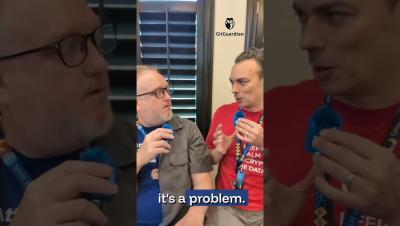
GitGuardian Senior Cybersecurity Researcher Gaetan Ferry’s latest research shows that AI-generated passwords are leaving fingerprints in the wild. In this interview, he explains how he used Markov chains, a century-old statistical model, to detect patterns in passwords generated by modern LLMs, attribute them to model families, and identify 28,000 likely LLM-generated passwords across public GitHub. The findings are a warning for teams adopting AI coding agents.