Security | Threat Detection | Cyberattacks | DevSecOps | Compliance

How Does Privileged Access Management Work?

Privileged Access Management (PAM) works by controlling, monitoring and securing access to privileged accounts and resources through features such as credential vaulting, just-in-time access control, session management and automation. It enforces the principle of least privilege so that only authorized users and systems have access to sensitive data. Continue reading to learn more about how privileged access management works to protect your organization.

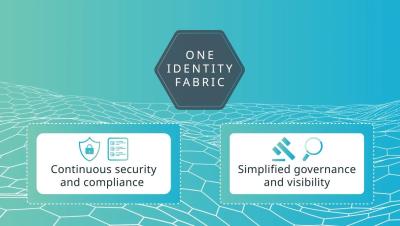
Protect your digital world with One Identity Fabric

When your IAM tools are working in conjunction, you can enjoy optimized security without falling prey to the complexity and risks associated with siloed solutions. The One Identity Fabric is an integrated solution that unifies tools from the One Identity portfolio to ensure access management, privileged access management, Active Directory management, and identity and access governance work together for seamless IAM. Join Brian Chappell, One Identity CTO, to learn the benefits of implementing this identity-first approach in your organization.

Better Together: Introducing Apono's Advanced PagerDuty Integration

At Apono, integrations are about creating seamless workflows, enhancing security, and providing exceptional experiences for engineering teams. We’re excited to announce our enhanced integration with PagerDuty because incident management and access control are truly better together.

Top 5 mistakes to avoid during PAM deployment

Privileged accounts are the keys to every organization’s kingdom. Protecting them isn’t optional. After all, the fallout of a breach can affect almost every part of the business. From leaking sensitive information and intellectual property, to fines and reputational damage from non-compliance or lack of governance.

Driving Cybersecurity with Privileged Access Management

In the fast-paced world of Formula 1, every second matters — both on the track and in the cockpit. As cyber threats continue to evolve, businesses need a solution that performs at the speed of their operations. Keeper Security’s privileged access management solution protects critical data in real-time, ensuring secure access and preventing breaches. With zero-trust and zero-knowledge security, Keeper delivers powerful protection.

How to Reduce Privileged Access Risks by Restricting Local Admin Rights

Discover how to bolster your organization's cybersecurity by reducing privileged access risks! In this video, Netwrix experts share actionable strategies for restricting local admin rights using Netwrix Endpoint Policy Manager to safeguard sensitive data and mitigate insider threats. Learn practical tips to enhance your security posture today!

Chasing passwordless? Omdia's new report recommends Extended Access Management

Omdia, a global analyst and advisory leader, recently released a report called “How Extended Access Management (XAM) closes the gaps in security.” The report outlines the challenges of managing access for the modern workforce and suggests strategies for addressing those challenges. Omdia defines the challenge areas of access management as: In 2024, 1Password launched Extended Access Management (XAM), a new security category designed to close the Access-Trust Gap.

Key Security Considerations When Scaling In House

If you are looking to expand your capabilities by scaling up your in-house servers and storage solutions, it's always best to take a security-first approach. For the most part, scaling up will consist of the same security measures - both physical and digital - being scaled up equally. However, there may be some additional factors that you should consider, for example how you plan to scale and the equipment that you intend to bring on.

How Does PAM Differ From Traditional Password Management?

Many businesses confuse traditional password management tools with Privileged Access Management (PAM) solutions. While both aim to secure credentials and reduce the risk of unauthorized access, they serve very different purposes. Traditional password managers are designed to store and organize login credentials for everyday user accounts, helping individuals and teams manage passwords more efficiently.