The Workflows page includes a list of all workflows created for the current account. You can create a new workflow, import a workflow, or use the filters to find a specific workflow you want to continue working on.
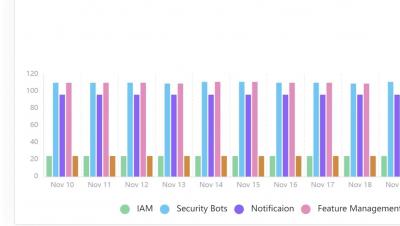
Now you can track how much time you save with Torq and monitor key workflow statistics in one convenient dashboard. Set Torq's TimeBack benchmark for each published workflow and calculate the total time saved across all workflows. The compiled metrics allow you to track different workflow analytics, see the results of your efforts, and monitor any runs that may require attention. Start configuring your Insights dashboard by clicking Review at the top of the Insights dashboard. Adjust each workflow's slider to reflect the time the use case would have taken manually.
The Activity Log page is a searchable log of workflow runs and single-step executions. You can drill down in log entries for additional information and navigate directly to a workflow run for further visual investigation.
Templates are pre-built workflows that you can use off the shelf and also to get a bit of automation inspiration. The templates library includes more than 150 templates covering the most common use cases, security frameworks, and much more.
From the Help Center, you can navigate to the Torq documentation center and submit a ticket. Manage your personal settings for the account, such as generating an API key and changing between light/dark mode.
Integrations are the backbone of Torq, and serve multiple roles. Put simply, an integration is a connection to an external service that's used to interact with data as part of an automated workflow. Before you can start building workflows, you need to create integrations for the applications you want to use in your workflows.
Workflows are the automations you'll be creating in Torq. Each workflow contains a trigger and steps. The Torq platform is built with a workflow-first architecture. This means that the components are all designed to enable you to easily create, test, and manage your workflows. For the workflow construction, you’ll be using steps (building blocks) and integrations with other services.
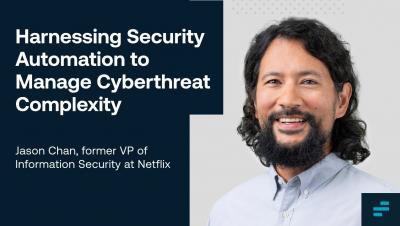
Torq is extremely proud to have Jason Chan on our advisory board. Watch Jason explore the positive impacts security automation is having on organizations of all sizes, worldwide
Learn about Jason Chan's pioneering efforts that helped set the stage for a dramatic shift from legacy cybersecurity approaches to today’s modern no-code security automation offerings.
Operationalizing data at the same scale it’s collected is vital, yet 55% of organizations surveyed by analyst firm ESG said they don’t have the skills or the time to create automations or playbooks to manage all threat data at machine speed. @Enterprise Strategy Group ESG and @Torq will explore the landscape of EDR and XDR systems and show how teams can approach the challenges of operationalizing the threat data they provide with different approaches to automation.