Security | Threat Detection | Cyberattacks | DevSecOps | Compliance

IIS Host headers - One host, many headers

Most websites do not have their own individual server, instead they share a server along with multiple other websites and applications. All websites hosted from this server will therefore have the same IP address. This can be problematic as the server can’t differentiate which website to serve if many websites are hosted on the same IP address and port. It will serve the default website regardless of the requested domain.

Directory Browsing IIS - keep it behind closed doors

A website directory, also known as a virtual directory functions similarly to a folder on a local machine, however, it exists on the web server’s file system and provides a structured and secure way to organize website content on an IIS server. Website directories act as logical containers for all the files that make up your website, including HTML pages, images, scripts, music, configuration files, and application binaries. Permissions assigned to directories control access to their contents.

Access Credential Manager Trusted Callers and ICAM: Windows Security

Windows credential manager securely stores and manages user credentials such as usernames, passwords, and certificates. These credentials are often used to access various resources, including network shares, websites, and applications, facilitating access to information and managing digital identities.

Generate Security Audits - What you need to know

The Generate Security Audits security policy setting determines which accounts can be used by a process to generate audit records in the Security log. When certain events occur such as unauthorized access to a computer, file and folder access attempts and security policy changes, the Local Security Authority Subsystem Service (LSASS) writes these events to the log. This information in the Security log can be used to trace any unauthorized access to the system.

RPC Endpoint Mapper Authentication and Hardening

This policy setting determines if RPC clients authenticate with the Endpoint Mapper Service when their call includes authentication data. The Endpoint Mapper Service on Windows NT4 (all service packs) is unable to process authentication data provided in this manner. Disabling this policy means RPC clients won’t authenticate with the Endpoint Mapper Service, but they can still communicate with it on Windows NT4 Server. The recommended state for this setting is: Enabled.

SQL Server Orphaned Users - Detection and Remediation Steps

Orphaned users SQL Server arise when a database user is associated with a login in the master database that no longer exists and should be removed. This situation can happen when the login is removed or when the database is transferred to a different server lacking the corresponding login. The SQL Server logins existing on a server instance can be seen through the sys.server_principals catalog view and the sys.sql_logins compatibility view.

Anonymous User Security for Everyday Users

Windows permits an anonymous user to carry out specific actions, such as listing the names of domain accounts and network shares. This functionality proves useful in scenarios when an administrator needs to provide access to users in a trusted domain lacking a reciprocal trust agreement. By default, the Everyone security identifier(SID) is excluded from the token generated for anonymous connections. Consequently, permissions assigned to the Everyone group don’t extend to anonymous users.

Hardened Baseline Configuration using CIS Baseline Tools

Hardened Baseline Configuration is a crucial aspect of system security for cybersecurity experts and the risk management teams. The secure baseline configuration represents a set of security controls that have been carefully selected and implemented to provide a robust general level of system hardening. There isn’t a one-size-fits-all solution, and specific configurations will vary depending on the type of system (server, desktop, etc.), role and its intended use.

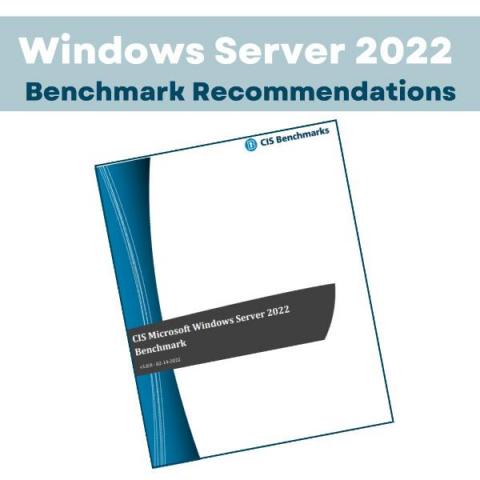
CIS Benchmarks - What are They and How to Use Them

The CIS Benchmarks cover a collection of recommended hardening policies specifying different hosts, applications, and operating systems that include detailed recommendations on system configuration, security settings, and other measures that can help organizations safeguard their IT infrastructure against a wide range of cyber threats. The benchmarks cover various platforms and technologies such as operating systems, cloud environments, databases, web browsers, and mobile devices.