Security | Threat Detection | Cyberattacks | DevSecOps | Compliance

How to Secure Your Business Data on Gmail, Google Drive, Docs, and more.

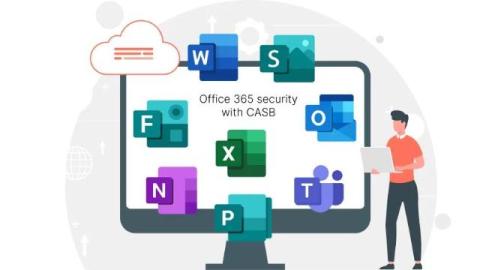
Are you using Google Workspace Applications to store your business data? Cyberattacks on Google Workspace are skyrocketing, but with miniOrange Google CASB solution, you can shield your business data against unauthorized access and data breaches. In this video, we’ll showcase: Learn how to secure your Google Workspace and take control of your data security today. Watch now to find out how to protect your business!

You've got the traffic, but what about the conversions?

If your Shopify store is losing customers at critical checkpoints, now’s the time to act. Learn how to fix your sales funnel in our upcoming Exclusive Webinar: ����������: Turning Visitors into Buyers: How to Reduce Customer Drop-Offs and Increase Conversions�������� & ��������: June 11th, 2025 (12:30 PM CEST) | June 12th, 2025 (3:00 PM EDT)

Entra ID SAML Single Sign-On (SSO) | Log into Joomla using Entra ID

Learn how to set up Entra ID SAML Single Sign-On (SSO) with your Joomla website using our Joomla SAML SP extension. This tutorial guides you through the process of configuring SSO between your Joomla site and Entra ID, allowing users to log into Joomla using their Entra ID credentials. Timestamps: Contact us at joomlasupport@xecurify.com if you have any queries.

Okta SAML Single Sign-On (SSO) | Log into Joomla using Okta

Learn how to set up Okta SAML Single Sign-On (SSO) with your Joomla website using our Joomla SAML SP extension. This tutorial guides you through the process of configuring SSO between your Joomla site and Okta, allowing users to log into Joomla using their Okta credentials. Timestamps: Contact us at joomlasupport@xecurify.com if you have any queries.

OneLogin SAML Single Sign-On (SSO) | Log into Joomla using OneLogin

Learn how to set up OneLogin SAML Single Sign-On (SSO) with your Joomla website using our Joomla SAML SP extension. This tutorial guides you through the process of configuring SSO between your Joomla site and OneLogin, allowing users to log into Joomla using their OneLogin credentials. Timestamps: Contact us at joomlasupport@xecurify.com if you have any queries.