Security | Threat Detection | Cyberattacks | DevSecOps | Compliance

Keeper for Teams and Small Business 3 Minute Demo

Introduction Keeper eliminates the pain of having to remember passwords while protecting your business from password-related data breaches and cyberthreats. Keeper stores and protects your website passwords, financial information and other sensitive documents in an encrypted vault. Keeper can generate unique, secure passwords for you that you can unlock with a single Master Password. Keeper makes it easy to login to websites without having to remember passwords ever again.

What Is PAM in Cybersecurity?

Privileged Access Management (PAM) in cybersecurity is how organizations manage and secure access to highly sensitive accounts, systems and data. Without PAM, organizations are at greater risk of a cyberattack impacting privileged accounts. Continue reading to learn more about PAM and its crucial role in cybersecurity.

What is a Hardware Security Key and How Does It Work?

A hardware security key, also known as a security key, is a physical form of authentication that provides you with access to systems, applications and accounts. Hardware security keys are often used as a second form of authentication or as a Multi-Factor Authentication (MFA) method. Read on to learn more about hardware security keys and the advantages and disadvantages of using them.

Keeper: An Essential Zero-Trust and Zero-Knowledge Cybersecurity Platform for the Federal Government

The U.S. federal government tends to move very slowly – except when it comes to zero-trust cybersecurity. The drive to get all agencies to zero trust is cruising along at warp speed, as evidenced by White House Executive Order 14028, CISA’s Zero Trust Maturity Model, OMB OMB M-22-09 and the DoD zero trust strategy and roadmap, all of which were released within the span of less than two years.

Keeping Data and Systems Secure With Privileged Access Management

Research shows that most of today’s cyberattacks occur when a cybercriminal gains access to a system through stolen credentials. Users with extra privileges, particularly IT administrators, are often targeted by threat actors who steal those privileges to access sensitive information and take control of systems. With an increase in virtual and hybrid work, across both the public and private sectors, these kinds of attacks are only becoming more common.

End-User Vault for Business & Enterprise

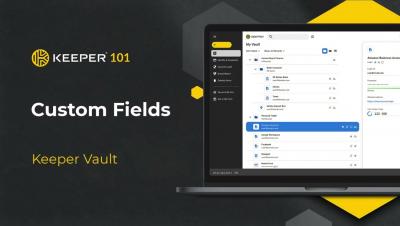
When you provide Keeper to your employees, they have the choice of using the Keeper Web Vault, the“KeeperFill” Browser Extension, Keeper Desktop App for Windows, Mac and Linux and our mobile app for iOS and Android. Vault data is synchronized across all platforms, so your users can access their data in any of these Keeper applications. Users can login to Keeper using biometrics like Face ID, or by entering a Master Password - which is the only password they will have to remember.