Security | Threat Detection | Cyberattacks | DevSecOps | Compliance

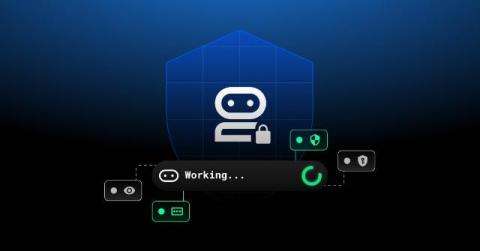
How 1Password secures agent architectures

Since 1Password began, we have built security into the places where work actually happens. Security is not treated as an overlay or a separate workflow, we build directly into the browser, command lines, developer tools, and IDEs, where decisions are made and actions take place. We believe that if you want to improve security outcomes, you build where the work happens, making the secure path the simplest one.

How One-Time Share Works in Keeper

Teams, friends and family members often need to share access to accounts, but traditional methods like email, text messages or screenshots expose sensitive information and create lasting risk. Keeper’s One-Time Share works by creating a secure, device-bound link that allows temporary access to a record while keeping credentials encrypted and fully protected. This approach enables fast, secure sharing without requiring the recipient to create a Keeper account or gain ongoing access to your vault.

1Password becomes the first global partner to transact through Express Private Offers in AWS Marketplace

1Password has achieved a significant milestone in our collaboration with Amazon Web Services (AWS): We are officially the first partner globally to successfully transact through express private offers on AWS Marketplace, a new AI-driven capability that automates personalized pricing, allowing teams to bypass manual negotiations and receive a tailored quote in minutes.

Replacing Password Sharing in Slack With Secure Access Workflows

Many teams share credentials in Slack out of convenience, but this seemingly harmless habit introduces serious security and compliance risks. From accidental exposure to unauthorized access, sharing passwords in Slack can create major vulnerabilities across your organization. Keeper’s Slack workflow replaces risky password sharing in Slack with secure, Just-in-Time (JIT) access requests and approvals.

Expanding programmatic access to 1Password

The era of secrets living in fixed systems and accessed through a handful of workflows is long gone. Modern development is faster, more automated, and increasingly AI-assisted. Developers need access to secrets everywhere their code runs – across CI/CD pipelines, local environments, and AI-driven workflows.

Secure your secrets at runtime with the 1Password CLI and Environments

Stop storing secrets in.env files. In this video, we show you how to use 1Password Environments to securely inject environment variables at runtime without storing plaintext on disk. You'll see how the same 1Password Environment powers: 1Password Environments provide secure, read-only access to environment variables across development and production workflows. Key benefits: No plaintext secrets on disk Least-privilege access controls Secure runtime injection Works with CLI, SDKs, and service accounts Reliable automation across macOS and Linux.

Secure your desktop apps with 1Password SDKs

Bring secure, human-in-the-loop authentication directly into your desktop applications. In this video, we introduce desktop authentication support in the updated 1Password SDKs. Your desktop tools and local scripts can now securely access vault items using the native 1Password prompts users already trust. Unlike service accounts, this approach supports human-in-the-loop workflows. Users stay inside your application while explicitly approving access to their secrets.

How Passkey Management Works in Keeper

Keeper’s passkey management works by letting you create, store and use passkeys directly from your Keeper Vault so you can sign in with biometric or device-based authentication instead of traditional passwords. By removing shared secrets and replacing them with cryptographic credentials tied to your device, Keeper makes signing in faster, more secure and resistant to phishing attacks.