Security | Threat Detection | Cyberattacks | DevSecOps | Compliance

Employee productivity and worker burnout, and how they impact shadow IT

This is the second in a series of four posts about shadow IT, including how and why teams use unapproved apps and devices, and approaches for securely managing it. For a complete overview of the topics discussed in this series, download Managing the unmanageable: How shadow IT exists across every team – and how to wrangle it.

How To Remove Adware From Your Computer

Adware can cause performance issues and unwanted ads on your computer. Some types of adware can even collect your personal information. To protect your personal information, you need to remove as much adware from your computer as possible. To remove adware from your computer, you should back up your files, download adware removal software and remove any unnecessary programs.

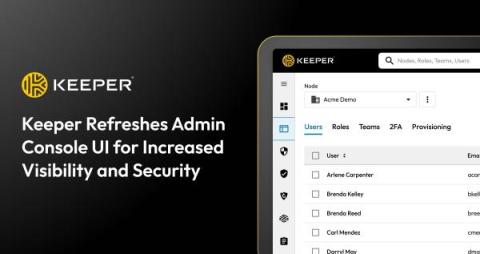
Keeper Refreshes Admin Console UI for Increased Visibility and Security

The Keeper Security team is thrilled to announce an updated User Interface (UI) for the Admin Console that drastically improves the user experience to save admins time and enhance productivity. The UI has a modern design that cohesively follows the much-applauded enhancements to Keeper’s end-user vault, released in 2023. The new Admin Console also provides an embedded onboarding experience that streamlines and facilitates new user adoption and proactively spotlights beneficial features.

The Different Types of Authorization Models

Authorization plays an important role in Identity Access Management (IAM). IAM is a security framework of business policies and processes designed to ensure that authorized users have the necessary access to perform their jobs. Choosing the correct authorization model for your organization is important to protect sensitive resources from unauthorized access.

Magic Links vs Passkeys: What's the Difference?

While both magic links and passkeys are methods of passwordless authentication, they’re not exactly the same. Some of the key differences between magic links and passkeys are how they work, their security, where a website server stores them and whether or not they expire after being used to log in to an account. Continue reading to learn more about what makes magic links and passkeys different and similar to one another.

Keeper 101 - How to Share a Keeper Record on iOS

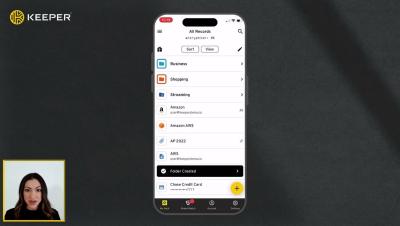
Keeper’s iOS mobile app makes it easy to securely share records with friends and family. To share a record with another Keeper user, select the record from your vault and tap Share, then Share with User. Enter the user's email address or select it from the dropdown, then use the toggle buttons to choose what permissions the user will receive such as: “Can Edit”, “Can Share” and "Make Owner". If you do not enable any permissions, the user will have “view only” access.

Keeper 101 - How to Set Up and Use KeeperFill on iOS

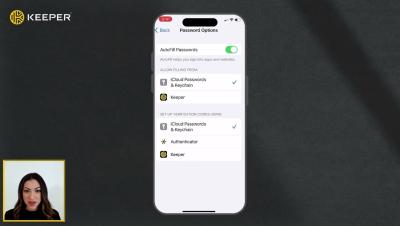
KeeperFill is Keeper’s powerful, autofilling feature that works across all devices and instantly logs you in to websites and apps, saving you both time and effort. Keeper is fully integrated into the login experience of every website and app through the Passwords button that appears above your device's keyboard. To utilize this feature you need to first perform a few setup steps.