Security | Threat Detection | Cyberattacks | DevSecOps | Compliance

How To Know if Your Apple ID Is Hacked

Your Apple ID is valuable to hackers because, if compromised, someone could use it to access your sensitive accounts, important documents, private photos and more. Signs that your Apple ID may be hacked include receiving emails from Apple about a new login, being locked out of your Apple device or iCloud account, getting notifications of account changes or noticing unfamiliar charges from Apple on your bank statements.

What Is an IP Address?

An Internet Protocol (IP) address is a unique series of numbers that identifies your device on the internet or the network it’s connected to. IP is a set of rules that determines how data is formatted when sent through the internet or a local network. Therefore, an IP address allows information to be transmitted on a network and distinguishes between various devices on the internet. You will typically see an IP address as a set of four numbers ranging from 0 to 255, separated by periods.

Achieve Enhanced Risk Visibility With Keeper's Risk Management Dashboard

Keeper Security’s Risk Management Dashboard delivers a streamlined view within the Keeper Admin Console to quickly and easily give administrators visibility into their organization’s Keeper configuration practices and compliance posture. The Risk Management Dashboard leverages an outlined set of Keeper Security Benchmarks to keep organizations compliant and safe.

RBI vs VDI: What's the Difference?

The main difference between Remote Browser Isolation (RBI) and Virtual Desktop Infrastructure (VDI) is that RBI is limited to providing remote access only to your web browser, while VDI focuses on providing remote access to an entire virtual desktop. Both RBI and VDI protect you from cyber threats by creating separate, secure environments where you can browse the internet and use your device.

Why Your Organization Shouldn't Delay Getting a Password Manager

Your organization shouldn’t delay getting a password manager because using a password manager provides visibility into employee password habits, strengthens secure password practices, protects employees from spoofed websites and minimizes the risk of data breaches. A password manager is a solution that helps your employees store, manage and share their login credentials, passkeys, important documents and more.

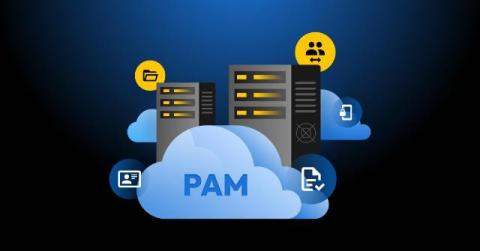
The Hidden Dangers of Legacy PAM: Why Your Security Solution May Actually Be a Risk

As a former federal CISO who has spent decades designing and securing enterprise infrastructure, I’ve grown increasingly concerned as organizations continue to rely on legacy Privileged Access Management (PAM) solutions designed for a different era. These systems, once the gold standard in security, have become dangerous liabilities in today’s modern cloud-native world.

Keeper Rolls Out Expanded iOS Security Key Support and Enhanced 2FA Settings

Keeper is excited to announce two significant updates to our iOS app: support for USB-C plug-in hardware security keys and a new Two-Factor Authentication (2FA) frequency setting. These updates reflect our commitment to providing industry-leading security solutions while ensuring a seamless user experience. Continue reading to learn more about these updates and how you can try them out yourself.

What Is Penetration Testing?

Penetration testing, also referred to as pen testing, is a simulation of a cyber attack that organizations conduct to identify security vulnerabilities within their systems. By finding weaknesses through a simulated cyber attack, organizations can pinpoint areas that need improvement before a cybercriminal can exploit them. Penetration testing helps organizations address issues in their systems to prevent unauthorized access, meet compliance requirements and minimize the risk of phishing attacks.

How Keeper Protects Your Digital Legacy and Estate With Emergency Access

Keeper protects your digital legacy and estate with its Emergency Access feature. If you suffer an emergency or pass away, your passwords, files and data should still be accessible to your trusted family members or close friends. Although it can be emotionally and logistically challenging to prepare for your loss, it is important to have a plan in place for how you will protect your digital legacy with Emergency Access.