Security | Threat Detection | Cyberattacks | DevSecOps | Compliance

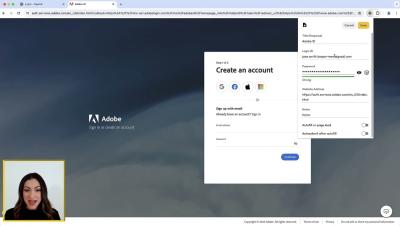
Keeper for Teams and Small Business 3 Minute Demo

Keeper eliminates the pain of having to remember passwords while protecting your business from password-related data breaches and cyberthreats. This video will demonstrate all that Keeper has to offer your small business and provide you with step-by-step instructions to get your team up and running in no time. If you're looking for an Enterprise demo with SSO and advanced capabilities, make sure to check out Keeper Enterprise.

How To Create a Positive Digital Footprint

Your digital footprint is the trail of data you leave behind online. It’s important to have a positive digital footprint to maintain your relationships, help you in all your personal and professional endeavors, and keep cybercriminals at bay. To create a positive digital footprint, you need to remove any negative posts, post positive content, think before you post, and interact with others with respect and kindness.

Keeper 101 | Enterprise - How to Transfer a Keeper Account

Learn how to transfer a Keeper Account in less than 2 minutes with our step-by-step guide. When an employee leaves the organization, an administrator with the proper permissions can transfer a user's vault to another user. Account Transfer is an optional feature that should be configured during the initial deployment phase of the Keeper rollout. A successful transfer requires that the users have logged in at least once prior to the transfer action.

DevOps Security Challenges and Best Practices

Some of the challenges when adopting DevOps security, also known as DevSecOps, are placing too much focus on tools rather than processes, cultural resistance, weak access controls and poor secrets management. While implementing DevOps security comes with its challenges, there are several best practices organizations can follow to make its implementation as effective and seamless as possible, including proper change management, combating secrets sprawl and following the principle of least privilege.

What Are the Five Pillars of Zero-Trust Security?

The zero trust maturity model is a Cybersecurity and Infrastructure Security Agency (CISA) initiative to help achieve a modern approach of zero trust through the implementation of five pillars with cross-cutting capabilities. The five pillars of zero-trust security are identity, device, network, application and workload and data.

How To Protect Your Organization From Targeted Attacks

A targeted attack is a complex cyber attack tailored to specific organizations or employees. The best way to protect your organization from targeted attacks is to reduce its attack surface, invest in a Privileged Access Management (PAM) solution, create an incident response plan and educate employees on cybersecurity best practices. Continue reading to learn what makes targeted attacks dangerous and how your organization can protect against them.

Implicit Trust vs Explicit Trust in Access Management

While trust plays an important role in access management, not all types of trust are created equal. When it comes to access management, there are two types of trust to pay close attention to, implicit trust and explicit trust. Let’s go over what these types of trust are in access management and how they differentiate from one another.

Keeper Protects From Stolen Credentials With Secure Time-Limited Access

The security concept known as “Privilege Creep” occurs when an individual accumulates access rights over time, retaining entry to systems and data beyond the completion of a specific task or the need for such access. This gradual accumulation of unnecessary privileges within an organization not only complicates the management of access rights but also magnifies the potential for security breaches, data theft and misuse of information.

Seven Best Practices for Privileged Access Management

Privileged Access Management (PAM) protects an organization’s most critical systems and accounts from unauthorized access, making it important to have a good PAM strategy in place. Some of the best practices to develop a good PAM strategy include implementing least privilege access, monitoring privileged accounts, adopting password security best practices, requiring multi-factor authentication and auditing privileges regularly.