Security | Threat Detection | Cyberattacks | DevSecOps | Compliance

The Egnyte Context Layer: The Business Context AI Needs

AI is only as good as the context behind it. Standard AI tools simply retrieve information, but Egnyte understands your industry. By automatically connecting your content, people, projects, and systems, Egnyte builds the deep business context AI needs to deliver accurate, trustworthy answers. Reduce retrieval steps, lower operating costs, and empower your team to move industry-specific work forward faster—without compromising security.

Why Better Context Makes AI More Accurate, Faster, and Less Expensive

Ask an AI system a question about your business and, before it can answer, it has another problem to solve: What information actually matters? It has to find the right files. Determine which version is current. Understand how those files relate to a project, client, deal, or other piece of work. Figure out which information applies to the person asking. Then assemble enough of that information to make a useful decision. For someone who works in the business every day, much of that is obvious.

August Release Rollup: Configuration Agent, AI Workflows, and More

The August release brings significant advances across Egnyte, making AI more actionable, connected, and easier to use across everyday workflows. Key updates include the new Configuration Agent, AI-powered agents in workflows, enhanced AI Assistant capabilities, and expanded support for connecting AI tools through Egnyte MCP Server.

How to Automate Workflows & Build AI Agents with Egnyte

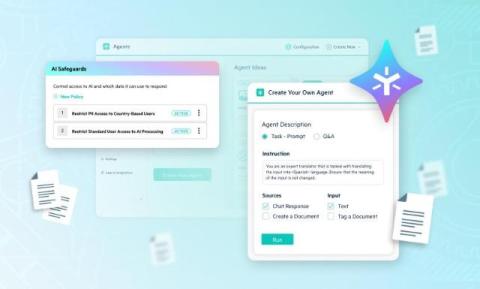
Tired of endless prompt tuning and untagged documents piling up? Discover how Egnyte Ignite turns unstructured content into secure, automated business action. In this video, we walk through the latest AI Innovations in Egnyte designed to help your team automate workflows, safely extract document insights, and build custom AI agents with zero coding required. Key Features Shown in This Video: Video Chapters (Timestamps).

From Connected Project Data to Construction Intelligence: Building the Foundation for AI-Powered Construction

Construction firms have invested heavily in technology to connect project information. Drawings, specifications, RFIs, submittals, BIM models, photos, and field reports are increasingly accessible from anywhere, helping office and field teams work from the same information. Connecting project information is a critical first step. It improves collaboration, reduces rework, and helps office and field teams work from the same information.

How DoD's CMMC Phase II Pause Impacts Your Company

In a recent announcement, the U.S. Department of Defense (DoD) suspended Phase II of the Cybersecurity Maturity Model Certification (CMMC) program. Since we’ve received questions from our customers about the announcement's impact, I’ve recapped the latest updates below. Remember to always consult your DoD contracts for the latest provisions and review these program updates with legal counsel, technology consultants, and third-party CMMC assessors, as appropriate.

July Release Rollup: Bulk Extraction, Enhanced AI Assistant UI, and More

July's release makes AI more useful across the Egnyte platform, with major enhancements to AI Assistant that make it easier to build agents, create documents, have more natural conversations, and securely connect AI tools through Egnyte MCP Server.

Adopting an AI-Native SDLC: Egnyte Search Team Case Study

By Bhumika Sharma | Manager, Engineering at Egnyte We ran an AI-native SDLC—here's what it changed about how we lead engineering. Egnyte's Search team serves 22,000+ enterprise customers across petabytes of content, and like every engineering org right now, we're figuring out how deeply AI tools should reshape how teams actually build software. Earlier this year, we kicked off a new project.

Enabling Massive-File Collaboration in the Cloud With Adaptive Block Caching

When it comes to massive files, many organizations still rely on old-fashioned, on-premises file servers and filers. They’re hesitant to work on these projects in the cloud because the inherent network latency makes working with massive files difficult. So they stick to an on-premises approach—even though it typically requires wired access and stable VPN connections, which makes sharing and collaborating especially challenging for people working from home, in the field, or on the road.