Security | Threat Detection | Cyberattacks | DevSecOps | Compliance

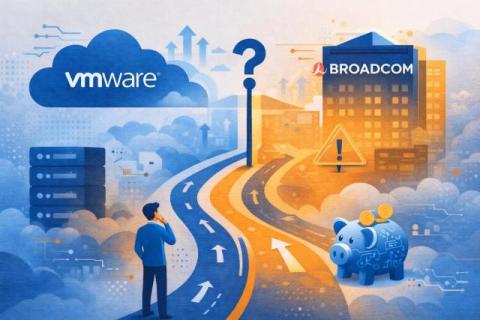
Navigating the New VMware Reality: What Broadcom's Changes Mean for Your Business

When Broadcom completed its $69 billion acquisition of VMware in November 2023, most customers assumed the initial disruption would settle. Licensing models would stabilise. Partner programmes would find a new equilibrium. Pricing would normalise. Two years in, it’s clear that didn’t happen.

VMware Backup Guide: Methods and Best Practices

Backup remains the best approach to data protection for physical and virtual machines, even in the face of new threats to data integrity and accessibility. However, virtual machine backup presents a challenge to IT admins in terms of storage, VM performance, resource efficiency, security, and recovery times. There are multiple methods to choose from to back up VMs. This post explains the advantages and disadvantages of 3 backup methods.

Understanding I/O Filters in VMware vSphere Environments

VMware vSphere offers a wide range of storage-related features for virtual machines. In addition to VMware vSAN and Virtual Volumes, VMware I/O filters are effective for VM administration since they unlock advanced features for different scenarios. This blog post explains what VMware I/O filters are, how they work and when to use them. NAKIVO for VMware vSphere Backup Complete data protection for VMware vSphere VMs and instant recovery options. Secure backup targets onsite, offsite and in the cloud.

Setting the Number of VMware CPU Cores Per Socket: Best Practices

When configuring processor settings for a new virtual machine, there are several key concepts to understand: how to calculate the number of processor cores per CPU and CPU cores per socket and how these settings affect the speed of virtual machines. In addition, it is important to understand what ensures better VM performance: limiting the number of processors and having more CPU cores or having more processors with fewer cores?

Basic PowerCLI Scripting for VMware vSphere

Previously, we looked at PowerCLI – what it is, how to install it, and integrating into Windows Powershell ISE. Now, let’s take a look at basic scripting including connecting, PowerCLI commandlets, as well as looping. NAKIVO for VMware vSphere Backup Complete data protection for VMware vSphere VMs and instant recovery options. Secure backup targets onsite, offsite and in the cloud. Anti-ransomware features. DISCOVER SOLUTION.

A Complete Guide to Instant VM Recovery on VMware vSphere

Unexpected downtime can disrupt your workflows in an instant. Virtual machines (VMs) power critical workloads, and when one fails, every second counts. The time needed for a full VM recovery depends on multiple factors, such as the size of virtual disks, storage performance, network speed and the recovery method.

6 Ways to Move a VMware VM from One EXSi Host to Another

When you have more than one ESXi host in your environment, you may need to migrate virtual machines from one host to another. The reason can be rational resource usage or insufficient computing resources on one of the hosts. Learn about the methods available to you to migrate virtual machines in VMware vSphere with and without vCenter.

Free ESXi: Restrictions and Limitations

VMware is a market leader in virtualization solutions, and VMware ESXi is a renowned type 1 hypervisor. Increasingly, individual users and organizations are deploying ESXi servers in their environments to run virtual machines. An ESXi hypervisor is provided as part of VMware vSphere, which, in turn, comes with different licensing options for each edition. Each VMware vSphere edition has its own price, but VMware also provides a free version of ESXi.

CrowdStrike Falcon Cloud Security Extends Unified Protection to VMware Environments

Organizations are rapidly adopting cloud platforms to accelerate development, scale operations, and optimize efficiency. VMware’s robust cloud solutions, including VMware Tanzu Platform and VMware vCenter, are among the critical tools that empower teams to build, deploy, and manage workloads with ease. However, this evolution brings new security challenges. Virtual machines, container images, and other cloud assets can become attack vectors if not properly protected.

How to Install the NAKIVO Solution as a VMware Virtual Appliance

You can choose to deploy the NAKIVO solution on physical Windows and Linux machines, virtual machines as a virtual appliance, NAS devices. The NAKIVO Backup & Replication preconfigured virtual appliances (VA) are available for both VMware vSphere and Nutanix AHV as well as for Amazon EC2 environments (as an AMI).