
Maximizing your Accounting firm's potential with process automation
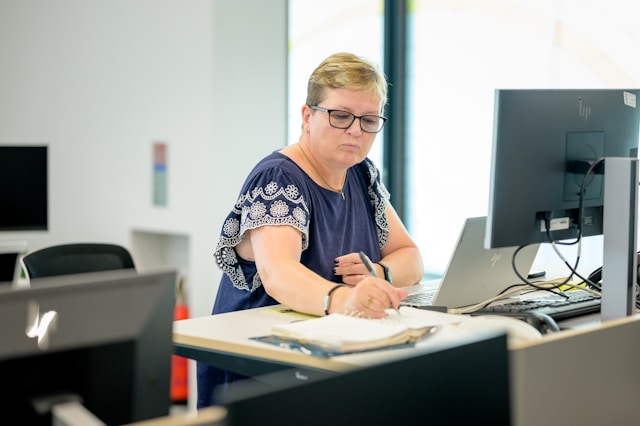
As an owner of an accounting firm, you've made significant investments in your technology stack. You have best-in-class software for general ledger management like QuickBooks or Xero, a robust CRM for client relations, and perhaps a dedicated platform for document management. Yet, despite this powerful arsenal of tools, your team is likely still mired in manual, repetitive tasks. This is the great paradox of modern accounting: you own the best tools on the market, but your firm's efficiency is still dictated by the manual work that happens between them.
The common assumption is that the solution lies in finding yet another piece of software—an all-in-one platform that promises to solve everything. This "rip and replace" approach is not only incredibly disruptive and expensive but also fundamentally flawed. It ignores the value and familiarity of your current systems. The true path to unlocking exponential efficiency isn't about buying new software; it's about building intelligent, automated bridges between the software you already own and trust.
Where your firm's processes break down
The most significant drains on your firm's profitability and capacity don't happen within QuickBooks or your CRM. They occur in the "process gaps"—the manual hand-offs of data from one system to another. These are the tasks that consume your skilled accountants' time, introduce the risk of human error, and prevent your firm from scaling effectively.
Think about a typical client workflow. The points of friction are instantly recognizable:
- Client onboarding. A new client signs on. This single event triggers a cascade of manual tasks: creating folders in your document management system, setting up a new profile in your practice management software, and configuring their chart of accounts in the accounting platform. This could be 15-30 minutes of repetitive clicking per client.
- Monthly bookkeeping cycles. The process of downloading bank statements, uploading them into accounting software, manually categorizing uncategorized transactions, and then exporting reports to share with the client is a time-consuming ritual.
- Payroll to general ledger entry. Data from your payroll system needs to be manually entered or imported into the accounting ledger. This is a classic "swivel chair" task where an employee looks at one screen and types into another, a prime spot for costly transposition errors.
These are not software problems; they are process problems. And they can be solved without adding a single new software license to your budget.
The power of a software-agnostic automation layer
The solution is to implement a layer of process automation that works on top of your existing technology stack. This approach uses tools like Intelligent Automation and API integrations to mimic and perfect the manual tasks your team currently performs. It’s like giving each of your employees a hyper-efficient digital assistant that works 24/7 with perfect accuracy.
Here is how this "invisible upgrade" works in practice:
- Process mapping. The first step is a deep analysis of your current workflows. We don't look at your software's features; we look at your team's clicks. We map out every step of a process, from the initial trigger to the final outcome, identifying every manual touchpoint.
- Building the automation. Using this map, custom automation scripts and "bots" are developed. These bots are programmed to interact with your existing software's user interface, just like a human would. They can log in, navigate menus, copy data, paste it into another application, generate reports, and even send notification emails.
- Seamless execution. Once deployed, these automations run in the background. A new client form submitted on your website can now automatically trigger a bot that creates all necessary accounts and folders across three different systems in seconds. An end-of-month automation can pull all necessary reports, compile them into a standardized client-ready package, and save it to the correct client folder.
The beauty of this approach is that it is completely agnostic to your software stack. It doesn't matter if you use Xero or QuickBooks, a custom CRM, or Dropbox for file storage. The automation is tailored to your unique combination of tools and your specific internal processes.
From task execution to strategic advisory
Implementing process automation does more than just save time. It fundamentally transforms the value proposition of your accounting firm. When your highly skilled CPAs and bookkeepers are freed from the drudgery of data entry and reconciliation, their focus can shift to where it truly belongs:
- High-value client advisory services. More time can be dedicated to analyzing financial data, providing strategic insights, and helping your clients grow their businesses. You move from being a compliance-focused firm to a forward-looking strategic partner.
- Increased firm capacity. You can take on more clients without increasing your headcount. The automations handle the bulk of the repetitive work, allowing your existing team to manage a larger portfolio with less stress and burnout.
- Flawless accuracy and compliance. Automation eliminates the human error inherent in manual data transfer. This leads to cleaner books, more reliable reports, and a stronger compliance posture, reducing risk for both your firm and your clients.
Ultimately, this is about leveraging the investments you've already made to their fullest potential. Instead of chasing the next "killer app," you can perfect the ecosystem you've already built. If your firm is ready to stop the cycle of manual work and unlock its true capacity, the solution may already be on your desktop. This isn't just relevant for global practices; even a UK-based accounting firm can unlock dramatic efficiency gains by automating the gaps between its existing tools. Exploring how a custom process automation strategy can be built around your existing tools is the next logical step. For firms looking to begin this journey, a consultation with specialists like https://virtudesk-automation.com/ can provide a clear roadmap to achieving this invisible yet powerful upgrade.