Security | Threat Detection | Cyberattacks | DevSecOps | Compliance

Keeper Enterprise Demo 2022

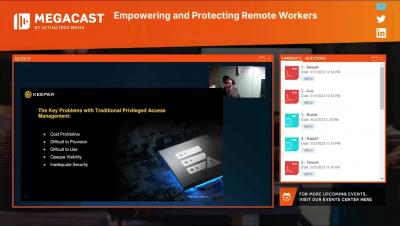
Keeper is the best way to protect your enterprise from password-related data breaches and cyberthreats. This 30-minute demo will show you how to prevent data breaches with Keeper Enterprise - a Zero-Knowledge and Zero-Trust password management and privileged account management cybersecurity platform. We'll review the end-user workflow, user provisioning and advanced topics including the Advanced Reporting & Alerts module, BreachWatch dark web monitoring and Commander tools.

Keeper Secrets Manager: Remove Hard-Coded Credentials Forever

Privileged credentials are some of the highest-value targets for cybercriminals – is your organization still hard-coding credentials and putting itself at risk? Keeper Secrets Manager is a fully managed cloud-based, zero-knowledge platform for securing infrastructure secrets such as API keys, database passwords, access keys, certificates and any type of confidential data. Watch this recorded webinar to learn how to secure your environment and eliminate secrets sprawl with Keeper Secrets Manager – ​​finally remove hard-coded credentials forever!

Introducing Keeper MSP Upgraded Billing Platform

Keeper has updated our MSP platform and licensing to be much more flexible. This allows managed service providers and their managed companies to allocate Keeper licenses to their users and pay for those licenses at the end of the month. While other MSP solutions in the market bill upfront before licenses are allocated to users, Keeper’s new billing model is designed to scale with your MSP business as you add individual managed companies and users.

Introducing Keeper MSP Upgraded Billing Platform

Keeper has updated our MSP platform and licensing to be much more flexible. This allows managed service providers and their managed companies to allocate Keeper licenses to their users and pay for those licenses at the end of the month. While other MSP solutions in the market bill upfront before licenses are allocated to users, Keeper’s new billing model is designed to scale with your MSP business as you add individual managed companies and users.

Installing Keeper Connection Manager

Keeper Connection Manager can be installed using one of three methods: An automated Docker Install, a Docker Compose Install, and Advanced Linux Install. The automated Docker Install is the recommended method of installation and the one that will be covered in this video. For the Auto Docker Install method, we support any version of Linux. A couple notes before starting the install.

Changing Your Passwords

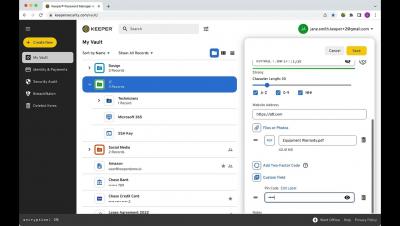
Long, randomly generated passwords that are created for each of your logins helps to protect your accounts from cybertheft and account takeover. Keeper’s Password Generator can create and securely store a strong, unique password for each of your sites and apps with the click of the dice. Be sure to refer to a website’s password requirements when creating a new password. You can adjust a password's characters to meet a site’s unique requirements by dragging the slide bar left and right and utilizing the character type check boxes.