Security | Threat Detection | Cyberattacks | DevSecOps | Compliance

How AI Can Crack Your Passwords

As AI becomes more advanced, it's important to consider all the ways AI can be used maliciously by cybercriminals, especially when it comes to cracking passwords. Cybercriminals can use AI to perform 3 different types of password-cracking attacks: acoustic side-channel, brute force and dictionary attacks. Learn more about these AI-powered password-cracking attacks.

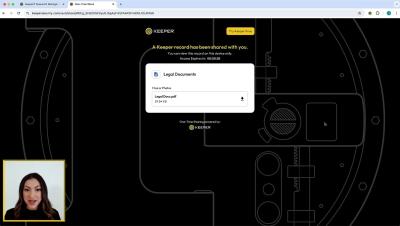
Keeper Webinar - Zero-Trust KeeperPAM: A Unified Cloud Platform

Watch the recording of our exclusive webinar featuring Craig Lurey, CTO & Co-founder of Keeper Security. Discover how KeeperPAM is revolutionizing privileged access management by seeing a walkthrough of the newest KeeperPAM features and a live demo showcasing its functionality.

What To Do If You Click on a Phishing Link

If you click on a phishing link you should immediately disconnect your device from the internet, scan your device using antivirus software and keep a lookout for suspicious activity and transactions on your online accounts. Learn more about what a phishing link is and what to do if you click on a phishing link.

What Happens If You Answer a Spam Call

If you accidentally answer a spam call, scammers know your number is connected to a real person and can target you with more calls. These targeted spam calls will try to trick you into giving up your personal information which allows cybercriminals to steal your money, your identity and even your voice. Learn more about how cybercriminals can exploit you using spam calls.

How Are People Targeted With Malware

Malicious software, also known as malware, is a program that is designed to harm computer systems and devices. Cybercriminals target individuals with malware by creating spoofed websites, sending fake emails or messages, executing drive-by download attacks or deceiving users to download programs from a fake source. Learn more about how malware is delivered and how to prevent malware attacks.

Introducing the Risk Management Dashboard

The Keeper Risk Management Dashboard is a powerful feature of the Keeper Admin Console that provides comprehensive security posture information covering end-user deployment, utilization, cloud configuration, and event monitoring. This critical data helps administrators ensure that risks are remediated and compliance is enforced effectively.

Introducing Passphrase Capabilities on Android

To generate a passphrase for a new or existing record on Android, tap the dice icon, select the dropdown menu next to “Type” and select Passphrase. You can customize your passphrase by setting the length, including capitals and numbers in the passphrase, and choosing from various symbols to separate the words. Passphrases can be up to 20 words long, with a minimum length of 5 words and each word including at least 3 characters. Check the box if you'd like to make your selections the default setting for all passphrases moving forward. Tap Use Passphrase or Copy Passphrase when you are done.