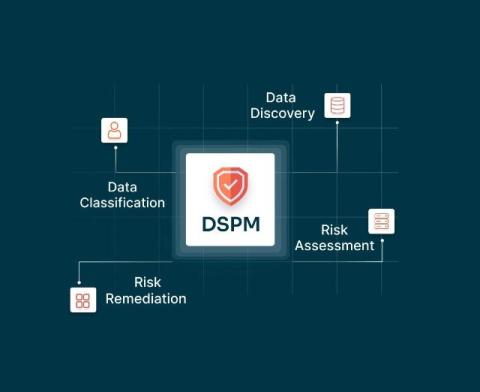
As data spreads across cloud platforms, SaaS apps, and remote environments, protecting sensitive information has never been more challenging. This is where Data Security Posture Management (DSPM) steps in.
How do you stop identity-based attacks in real time — across both human and non-human identities? CrowdStrike Falcon Identity Protection now delivers powerful new capabilities to answer that question. The innovations announced today address urgent challenges facing security teams: unprotected non-human identities (NHIs) such as service accounts, insider risk during employee offboarding, and standing privileges in hybrid Microsoft environments.
Abhika Nimakhayala, VP of Engineering at TeamSense, shares how with OneLogin’s secure identity solutions, including single sign-on (SSO) and multi-factor authentication (MFA), TeamSense ensures seamless access for employees while safeguarding sensitive workforce data. This partnership streamlines operations, enhances security, and delivers a user-friendly experience for deskless workers and HR teams alike.
Learn how to set up Entra ID SAML Single Sign-On (SSO) with your Joomla website using our Joomla SAML SP extension. This tutorial guides you through the process of configuring SSO between your Joomla site and Entra ID, allowing users to log into Joomla using their Entra ID credentials. Timestamps: Contact us at [email protected] if you have any queries.
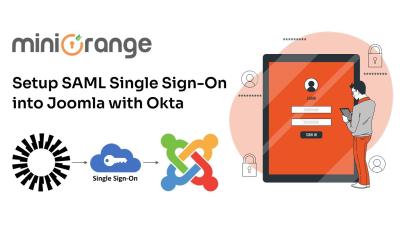
Learn how to set up Okta SAML Single Sign-On (SSO) with your Joomla website using our Joomla SAML SP extension. This tutorial guides you through the process of configuring SSO between your Joomla site and Okta, allowing users to log into Joomla using their Okta credentials. Timestamps: Contact us at [email protected] if you have any queries.
Learn how to set up OneLogin SAML Single Sign-On (SSO) with your Joomla website using our Joomla SAML SP extension. This tutorial guides you through the process of configuring SSO between your Joomla site and OneLogin, allowing users to log into Joomla using their OneLogin credentials. Timestamps: Contact us at [email protected] if you have any queries.
Learn how to set up Entra ID OAuth Single Sign-On (SSO) with your Joomla website using our Joomla OAuth Client extension. This tutorial guides you through the process of configuring SSO between your Joomla site and Entra ID, allowing users to log into Joomla with their Entra ID credentials using the OAuth protocol. Timestamps: Contact us at [email protected] if you have any queries.
If you're looking to embed Power BI reports on your website or share dashboards externally, but the $4,995/month Capacity license makes your wallet cry — you’re in the right place. We’re going to break it all down for you.