Security | Threat Detection | Cyberattacks | DevSecOps | Compliance

Introducing Keeper's Bidirectional One-Time Share

Keeper's upgraded One-Time Share solution enables two-way sharing between Keeper users and non-users, providing a secure way of exchanging confidential information and files. This new sharing technology builds upon the functionality of our existing One-Time Share feature. These shares are protected in transit by Keeper's elliptic-curve and AES-256 cryptography and can only be decrypted locally on the recipient's device.

Why Enterprise-Wide Deployment of Keeper Is Important

Enterprise-wide deployment of Keeper isn’t just a best practice – it’s a necessity. Stolen credentials fuel everything from phishing attacks to full-blown breaches. Verizon’s 2025 Data Breach Investigations Report identifies the top three methods of unauthorized access as stolen credentials, phishing and vulnerability exploits, all of which are closely tied to identity.

How Keeper Protects Non-Human Identities (NHIs) in IT Environments

As infrastructure becomes more automated and distributed, the number of Non-Human Identities (NHIs) within enterprise environments has quietly surpassed that of human users. These NHIs now play a foundational role in everything from DevOps pipelines to AI-powered workflows, often relying on secrets like API keys, certificates and tokens to access systems and perform critical tasks. While NHIs are doing more, they’re being secured less.

Why AI Infrastructure Growth Demands Next-Gen Cybersecurity and PAM

Global Artificial Intelligence (AI) infrastructure spending is projected to surpass $200 billion by 2028, according to research from the International Data Corporation (IDC). As organizations rapidly deploy more complex AI systems, the demand for high-performance infrastructure, like Graphics Processing Units (GPUs) and AI accelerators, is surging. This growth exponentially increases computing power, energy consumption and data exchange across hybrid and cloud environments.

Keeper Browser Extension 17.2: Biometric Login, TOTP Scanner and More

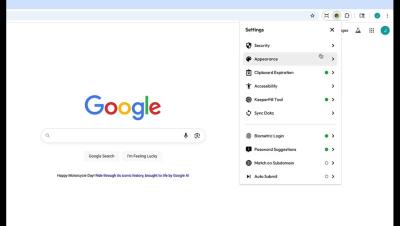
The latest update to the Keeper Browser Extension includes a number of new features like biometric login with passkeys, a TOTP scanner, clipboard expiration and for business and enterprise accounts, granular sharing enforcement notifications. In this video, I will showcase the new updates to look out for in our browser extension version 17.2.

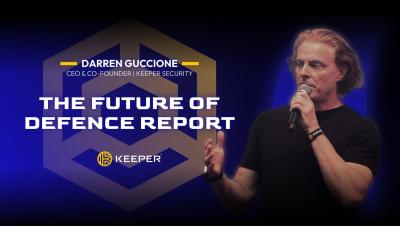
The Future of Defence Report: IT Security Leadership in an Era of Unprecedented Cyber Threats

Based on insights from Keeper Security's Future of Defence Report, this talk reveals what over 1,000 IT professionals are seeing in today’s evolving cyber threat landscape. From AI-powered attacks and cloud jacking to memory-based exploits, modern threats are outpacing traditional defenses. Learn why conventional layered security is no longer enough, and how organizations must adopt a privileged access approach with strong authentication, authorization and encryption across every user and device.

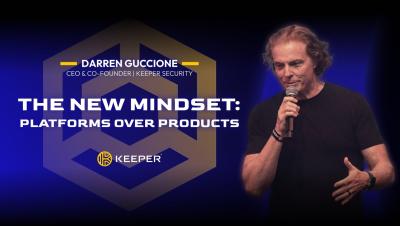
The New Mindset: Platforms Over Products

Traditional cybersecurity tools can’t keep up with today’s threats. In this keynote address, Keeper CEO and Co-Founder Darren Guccione explores why layered products fail – and how a unified platform built on zero trust, least privilege and AI-powered automation redefines modern defense. Understand how seamless access control, real-time threat response and machine-level protection come together to secure every user, device and session.

8 Features To Look For in a Password Manager

A password manager protects your online accounts by storing all your passwords in one place, making it easier to use strong, unique passwords for every account without having to remember them all. Many password managers also support passkeys, which make logging in even safer and easier as an alternative to traditional passwords.

How Do Cybercriminals Spread Malware?

Malware is everywhere, and cybercriminals are constantly finding new ways to spread it. From phishing emails and fake websites to drive-by downloads and exploit kits, no one is safe without proper protection. In this video, we’ll break down how malware spreads, how to detect if your device is infected and the best ways to protect yourself.

How IT Admins Can Use Keeper To Onboard and Offboard Employees Securely

IT teams face increasing pressure to onboard new employees and offboard departing ones quickly and without compromising security. Granting users access to necessary tools is crucial for business productivity, but without strong access controls, organizations risk suffering from data breaches, compliance issues and privilege misuse. In fact, Keeper Security’s The Future of Defense Report found that 40% of respondents have experienced a cyber attack caused by an employee.

Does a VPN Protect You From Hackers?

Can a Virtual Private Network (VPN) really protect you from hackers? While VPNs encrypt your internet traffic and hide your IP address, they don’t make you invincible online. In this video, we break down which cyber threats VPNs can and can’t protect you from — plus tips to keep your accounts and devices secure.