Security | Threat Detection | Cyberattacks | DevSecOps | Compliance

Kubernetes backup console tour: backup plans, targets, policies | Trilio for Kubernetes

A tour of the Trilio for Kubernetes management console on OpenShift, so you know where everything lives before you create your first backup target and backup plan. You will see: Chapters Recorded on Red Hat OpenShift 4.21 with Trilio for Kubernetes 5.4.1.

Active-Active Replication: When It's Worth the Complexity

TL;DR: Active-active replication lets every node in a cluster accept writes and sync changes to its peers, which keeps writes available during regional outages but adds conflict resolution, replication lag, higher costs, and no protection against corruption or ransomware. It justifies that complexity mainly for five-nines, multi-region, or edge workloads, while read replicas, sharding, or active-passive setups suit most other needs.

OpenShift backup readiness: CSI snapshots and preflight check | Trilio for Kubernetes

Before you install Kubernetes backup on OpenShift, check that your cluster can take CSI snapshots. This video checks the OpenShift version, StorageClasses and VolumeSnapshotClasses, and runs the Trilio for Kubernetes preflight check. You will: Best practices covered: check the compatibility matrix before every install and every OpenShift upgrade; run the preflight against every StorageClass you protect, and again when you add one; keep CPU, memory and object-count quotas off the T4K namespace.

Install a Kubernetes backup operator on OpenShift | Trilio for Kubernetes

Install the Trilio for Kubernetes backup operator on Red Hat OpenShift from the Software Catalog (OperatorHub on earlier versions), with the settings we recommend for production. You will: Best practices covered: run only GA builds in production and stay on the latest maintenance release of your minor version; approve upgrades through change control; keep T4K alone in trilio-system, because Manual approval applies to every operator in the namespace.

Deploy Kubernetes backup on OpenShift: TrilioVault Manager | Trilio for Kubernetes

Deploy Trilio for Kubernetes on Red Hat OpenShift by creating the TrilioVault Manager, the resource that runs T4K, and open the T4K management console. You will: Best practices covered: change T4K only through the TrilioVault Manager and keep its manifest in version control (the operator reverts changes made anywhere else); size the job deadline from measured backup throughput (the default is 12 hours); measure datamover memory on a representative backup before production; reach the console through the HTTPS ingress, never port-forward.

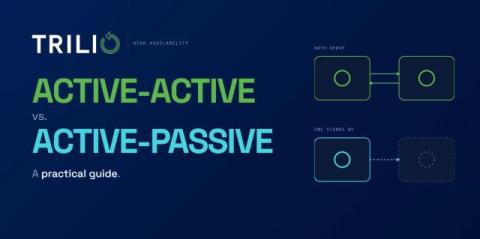
Active-Active vs. Active-Passive: A Practical Guide

TL;DR: Active-active runs every node live so traffic distributes across the pool and failover is near-instant, but it forces you to solve multi-writer conflicts through last-writer-wins, vector clocks, CRDTs, or consensus protocols. Active-passive keeps one authoritative primary with an idle standby, trading seconds to minutes of promotion time for predictable behavior, simpler troubleshooting, and lower cost under steady load.

OpenShift Console: A Practical Guide

Your first login to a Red Hat OpenShift cluster can feel like sitting in an unfamiliar cockpit: dozens of menus, two perspectives, and dashboards full of metrics you haven’t learned to read yet. The OpenShift Console pulls all of it into one browser-based interface, so you can see what’s running, fix what’s broken, and deploy what’s next without memorizing a single oc flag command.

Red Hat OpenShift on IBM Cloud: What It Is and What's New

Running Kubernetes in production takes real work. Patching control planes, managing upgrades, and keeping clusters highly available pulls engineers away from shipping applications. Red Hat OpenShift on IBM Cloud removes that operational load. IBM runs the platform as a fully managed service, and your team keeps its attention on workloads.

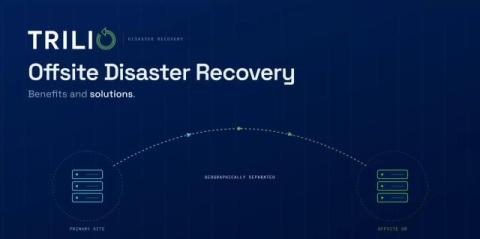
Offsite Disaster Recovery: Benefits and Solutions

Most teams find the holes in their recovery plans at the worst possible time: a flooded data center, failed storage array, or ransomware note sitting on the same server as the backup catalog. Offsite disaster recovery removes that single point of failure, but only when the copy is truly separated from production by geography, network path, and access control. Distance by itself won’t save you.

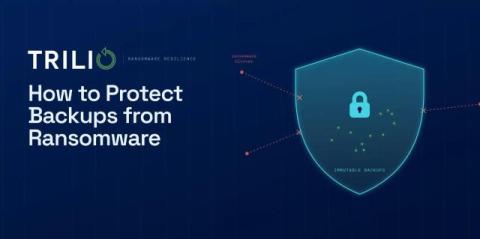
How to Protect Backups from Ransomware

Ransomware crews go after backups first. Before any production file gets encrypted, they hunt down your backup catalog, snapshots, and repository credentials. The real question is whether your backups can survive an attacker who is actively trying to destroy them. This guide covers how to protect backups from ransomware with specifics: immutable and WORM storage, the 3-2-1-1-0 rule, air-gapping, network segmentation, encryption, and access controls that hold up under pressure.