Security | Threat Detection | Cyberattacks | DevSecOps | Compliance

Random but Memorable - Episode 9.9: The Passwordless Special

It's the Passwordless Special! 🎉😱 We sit down with 1Password's Matt O'Leary and Ernest Chi to discuss the future of passwords and passwordless authentication, including recent developments and challenges to passwordless technologies. Grab a cuppa, and settle in as we predict what a passwordless future might look like.

New 1Password SIEM integration with Sumo Logic and Panther

Reduce the time your team spends investigating security issues by using a customizable dashboard that shows your organization’s entire security posture. With the new Sumo Logic and Panther integrations for 1Password, you can monitor potential risks around company data or credentials stored within 1Password.

Avoid the 3 Pitfalls of Native Database Auditing for Privileged User Monitoring

Regulations and frameworks such as PCI-DSS, SOX, ​NIST SP 800-53, NERC CIP and HIPAA require privileged user activity to be monitored and audited sufficiently for investigation. Privileged user monitoring and auditing for databases are critical as databases often contain the most sensitive information to an organization. Many organizations leverage built-in database auditing capabilities included with their databases to meet these monitoring and auditing requirements.

Keeper for Android on Google Play

Tired of constantly forgetting and resetting your passwords? Let Keeper remember them for you. Keeper automatically generates strong passwords, stores them in a secure digital vault accessible from any device, and autofills them across all of your sites and apps. Keeper's powerful encryption protects your passwords and sensitive information from data breaches, ransomware, and other cyberattacks. With Keeper, you can.

How Zero Trust Strengthens Password Security

Password security is crucial to preventing cyberattacks. It is important to find a password manager that enables the zero-trust security model to mitigate the risks of data breaches from compromised user accounts. The U.S. government released a memorandum earlier this year, detailing the requirement for federal agencies to achieve zero trust by the end of Fiscal Year 2024 in an effort to strengthen their cyberdefenses.

Brick by brick: why Docusaurus is a powerful documentation framework

At 2022’s AGConf (1Password’s annual employee conference), every employee received a goodie box to celebrate the event and the company’s successes over the past year. Our theme this year was “space”, so the goodie box included a kit for a Lego rocket ship (very appropriate considering our own CEO is a Lego aficionado).

The Complete Guide to Identity and Access Management (IAM)

With the rising trend of digitization, major companies like Airbnb, Microsoft and Twitter are staying out of the office, moving processes online and allowing employees the option to work from home. Organizations are adopting remote and hybrid working models. As a result, many people are spending more than double the amount of time online as they did pre-pandemic.

Instant Zero-Trust Access to Remote IT Infrastructure

Tired of the latency, availability and reliability issues of VPNs and legacy remote desktop tools? Keeper Connection Manager (KCM) provides DevOps and IT teams with effortless access to RDP, SSH, database and Kubernetes endpoints through a web browser on any device. Watch this webinar to learn more about KCM and how you can grant access to privileged systems without exposing login credentials. During the webinar, Zane Bond, Sr. Director of Product Management, will cover.

Keeper One-Time Share for Android

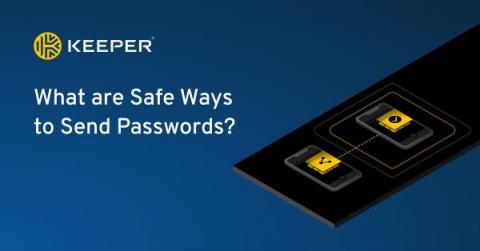
Keeper "One-Time Share" provides time-limited, secure sharing with anyone, even if they don’t have a Keeper account. One-Time Share is the most secure way to send confidential information to a friend, family member or co-worker without exposing sensitive information in plain text over email, text message or messaging. To share a record using One-Time Share on an Android device, select the record and tap Share. From the options, select One-Time Share. Next, tap the One-Time Share icon in the lower right corner of your screen and select your preferred record access expiration.