
What to Know About Security Camera Systems and Cyber Risk
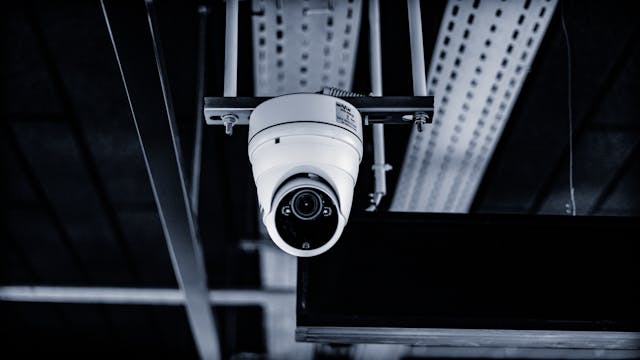
Modern office buildings rely on networked cameras to keep people and property safe. Most people see a camera and feel a sense of protection. They do not often think about the wires or the data behind the lens. These devices are small computers that live on your main business network. They send video signals through cables hidden in the walls and ceilings. If these paths are not secure, the whole system can fail.
Security experts worry about how easily these devices can be reached by outsiders. A camera on an outside wall is a door into your digital files. Many businesses focus on software but forget about the physical hardware. They leave ports open or use cheap wires that break easily. This creates a gap that clever intruders can use to steal information. Protecting your business means looking at both the digital and physical parts together.
The Foundation of Secure Physical Infrastructure
The way you set up your hardware determines how safe your data stays. High quality parts ensure that your video feed does not drop during an emergency. It starts with the wires that connect everything to your main server room. Choosing a skilled contractor like ufocable.com helps you get the right setup from the start. They know how to run cables so they stay hidden and safe.
Picking the Right Cable Standards
Not all cables are the same when it comes to moving large video files. You need wires that can handle a lot of data at once. Category 6 cables are the standard for most modern offices. They allow for clear pictures and fast speeds without causing a lag. If the wires are too old, the video might look blurry or slow. This makes it hard to see what is happening in a crisis.
Protecting the Physical Path
You must think about where the wires go once they leave the unit. Cables left out in the open can be cut or tapped by anyone. It is best to use metal pipes called conduits for wires on the outside. Inside the building, keep wires tucked away in secure trays or behind walls. This stops people from messing with the setup by accident or on purpose. A clean install makes it easier to spot if someone tries to add a device.
Risks Found in Internet Protocol Hardware
Most new frameworks use Internet Protocol or IP units instead of old analog ones. These devices are smart and can be checked from a phone or laptop. This convenience brings new risks that you need to manage carefully. Every lens has its own brain and stores its own small bits of data. If a hacker gets into one device, they might find a path to your emails.
Strengthening Device Credentials
A common mistake is leaving hardware on the settings it had in the box. This makes things easy for hackers who know all the default passwords. You can make your hardware much safer by changing the login info right away. Use long strings of letters and numbers that are hard to guess. This simple step stops many automated attacks before they even begin.
Checking the Supply Chain
Where your hardware comes from can be just as important as how you use it. Some brands have hidden software that sends data to places it should not go. The CISA website lists brands that are not allowed in government buildings. You should check this list before you buy any new gear for your office. It helps you avoid buying tools that have built-in flaws. Using trusted brands ensures your hardware does not work against you.
Using Logical Network Segmentation
One of the best ways to stay safe is to keep your devices separate. You do not want your security feed on the same path as your credit card data. Network segmentation creates a wall between different parts of your business. This way, if one area has a problem, it does not spread to the others. It is like having different rooms in a house with locked doors between them.
Benefits of Virtual Networks
A virtual network acts like a private lane on a busy highway. It keeps camera traffic away from the rest of your office work. This makes the whole setup run faster because there is less crowding. You can find more cybersecurity news about why this matters for small businesses. It is a smart move that does not cost extra money to set up. Most modern routers and switches have this feature built right into them.
Managing Access Points
Every plug on your wall is a potential entry point for a stranger. You should only have the ports active that you are actually using. If a port is not plugged into a lens, turn it off. This prevents someone from walking in and plugging a laptop into your network. You can also tell the switch to only talk to specific hardware pieces. This ensures that only your approved units can send or receive data.
- Keep all unused ports in public areas like lobbies or halls turned off.
- Set up alerts to let you know when a device is unplugged.
- Use locks on the cabinets where your main switches are kept.
- Limit who has the keys to the server room or data closet.
Power over Ethernet and Energy Safety
Most cameras now get their power through the same wire as their data. This is called Power over Ethernet or PoE for short. It makes installing units much faster and keeps the area looking neat. You do not need an electrician to put a plug by every lens. But you must make sure your main switch can handle the power load. If it gets too hot, the whole setup might shut down.
Keeping the Power Constant
Security setups need to stay on even when the lights go out. A backup battery in the server room is a must for any office. It keeps the lenses filming during a storm or a power cut. This is often the time when you need your security the most. A good battery gives you enough time to fix the power issue. It also protects your sensitive hardware from power surges that can fry the circuits.
Managing Heat in the Cables
Wired setups create heat when they move electricity over long distances. If you bundle too many wires together, they can get very warm. This heat can slow down the data or even melt the wire casing. Space the wires out so air can flow around them easily. Keep your server room cool with fans or air conditioning units. This helps your expensive gear last much longer and perform better.
- Check the wattage of your units before you buy a new switch.
- Your main equipment needs a room with good air flow to stay cool.
- Use a backup battery that can last for at least four hours.
- A quick yearly check on the wires helps find small signs of heat damage.
Maintaining the Integrity of the System
A security setup is not something you can just set up and forget. It needs regular checkups to make sure everything still works as it should. Dust can settle on lenses and make the picture look cloudy. Outside units might get bumped by birds or wind and point the wrong way. A quick walk around the building can help you find these issues. You should also check the digital side of things every month.
Physical safety and digital safety are now the same thing for most companies. By paying attention to your cables and your network, you build a strong shield. It takes some work to keep everything updated and secure. But the effort keeps your business running smoothly and protects your team. High quality installation and smart habits are the best tools you have. Stay alert and keep your hardware in top shape to stay safe.
When you look at your security, think about the whole picture. The best software cannot save a setup with broken wires or open ports. Take the time to learn about the gear you use every day. Ask questions when new units are installed in your workspace. Knowledge is just as important as the locks on your front door. A well-built setup gives you the freedom to focus on your work.