
A Simple First-Project Workflow for Trying Seedance 2.5
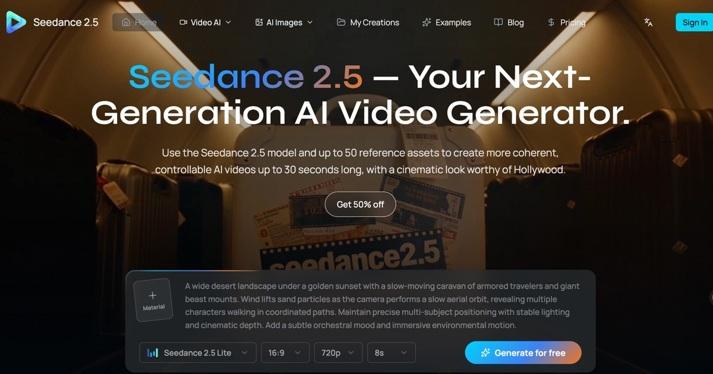
A first AI video project becomes difficult to evaluate when the idea includes several subjects, changing locations, camera moves, and a detailed story. If the output fails, a beginner may have no clear way to tell what went wrong. A small project gives each revision a useful purpose.
Try Seedance 2.5 with one visible action and a simple ending. Treat the first output as a draft to inspect before editing.
Pick an idea that fits one shot
For a hypothetical first project, imagine an original paper kite resting on a table while its ribbon moves gently in a breeze. The camera stays still, and the kite’s shape remains visible.
For a team’s first generation test, this limited idea provides a shared baseline: one subject, one moving detail, and a stable setting that each reviewer can check.
Write a success sentence: “The kite remains recognizable while the ribbon moves naturally.” That becomes the criterion for deciding whether the output serves the assignment.
Check the available service options
Open the chosen generator and confirm the model, input modes, output settings, and any estimate shown before submitting the project.
Before following these video generation steps, confirm which options your interface exposes. Use the settings actually available rather than relying on an assumed duration, resolution, or reference workflow.
Choose a short test that fits the task. A beginner does not need to request the longest available output just to learn whether the subject and movement are understandable.
Prepare a clean reference if useful
If image input is supported, select an original or authorized photograph or illustration of the kite. It should show the complete outline and important colors clearly.
Remove uncertainty from the source material. A cropped image may leave the generator to interpret missing edges, while strong shadows may hide the intended shape.
If starting from text alone, describe the subject precisely enough to review. “A red paper kite with a thin white ribbon” creates a clearer test than a general request for a playful object.
Write a basic prompt
A hypothetical prompt could read: “Show a red paper kite resting on a plain wooden table. Keep a fixed overhead camera with the complete kite visible. Let only the white ribbon move gently in a light breeze. Maintain soft daylight and the kite’s original shape. Finish with the same composition.”
This prompt identifies subject, action, setting, camera, and ending. It is an instruction to test, not a guarantee that every detail will be preserved.
Avoid stacking many style terms into the first attempt. Add decorative choices later if the basic scene works and those additions serve the project.
Generate and inspect the whole clip
Watch the output once at normal speed. Ask whether the scene matches the simple idea and whether the movement feels readable.
Then pause near the beginning, middle, and end. Check the kite’s outline, ribbon attachment, table texture, and framing. Look for unwanted camera drift or new objects.
Record one or two specific problems. A note such as “ribbon detaches halfway through” gives the next attempt a clear focus.
Change one variable before trying again
If the kite changes shape, simplify the movement or improve the reference. If the camera drifts, clarify the fixed framing and remove wording that suggests a tracking shot.
Keep the previous prompt so the change is visible. Adjusting the subject, lighting, camera, and action together makes it harder to learn which modification helped.
Stop when the clip meets the original purpose. Repeated generations without a defined defect can turn a useful first exercise into an open-ended search.
Save and finish the selected result
Keep the accepted output with its prompt, reference, settings, and review note. Trim the clip if needed and add exact titles or audio in an editor.
Check the final export in its intended placement before sharing. For commercial work, confirm the current service terms and your rights to the input assets.
The next project can build on the working prompt while introducing one new challenge, such as a second action or a modest camera move.