
Remove Watermark from Shutterstock and Stock Images: What Works in 2026

If you have ever downloaded a stock preview, you know the situation. The image looks perfect for your layout or presentation, but a large watermark runs across the entire frame.
Shutterstock, Getty, and similar platforms place bold repeating overlays on preview files. These marks are not subtle. They stretch diagonally across faces, textures, and backgrounds, making the image unusable in its current form.
Removing this type of watermark is very different from erasing a small corner logo. Most quick fixes simply make the image look worse. Here is what actually works today.
Why Stock Watermarks Are Harder to Remove
Stock watermarks are designed to prevent unauthorized use. They usually repeat across the entire image and overlap important visual elements. Unlike a small logo placed in one corner, these overlays often sit on top of skin, fabric, shadows, and detailed textures.
Cropping is rarely an option because too much of the image is affected. Blurring leaves visible patches. Manual cloning in Photoshop can work, but it takes time and skill, especially when the watermark crosses complex areas.
This is why many people turn to automated reconstruction tools instead of manual editing.
When It Makes Sense to Remove a Watermark
It is important to be clear about licensing. If you do not have rights to the image, removing the watermark violates the platform’s terms.
However, there are legitimate scenarios where removal is simply cleanup work. You may have purchased the image but downloaded the preview file by mistake. You might be working on internal drafts before final licensing. Some designers add temporary watermarks to their own visuals and later need the clean version.
In those cases, removing the watermark is part of finishing the file correctly.
What Actually Works Today

Traditional retouching relies on copying nearby pixels and trying to rebuild what sits under the overlay. This can work on simple backgrounds, but it becomes obvious when textures are detailed.
Modern tools use reconstruction instead of copying. They analyze surrounding areas and generate a natural continuation of the background. On smoother surfaces such as sky, walls, or soft gradients, the result can look surprisingly clean.
If you use a reliable AI watermark remover, even larger text overlays can often be reduced significantly, especially when processed carefully.
How to Remove a Watermark from a Stock Image
-
Start with the highest resolution file available.
More detail gives the tool more information to work with. -
Upload the image to a watermark removal tool.
Choose one that reconstructs the background instead of simply blurring it. -
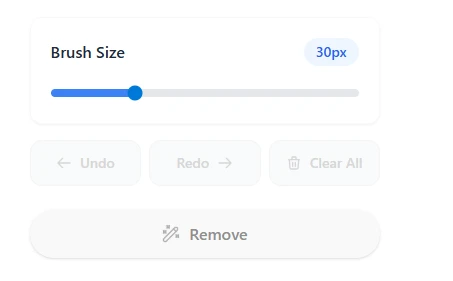
Select only the watermark area.
Precision improves results. Avoid marking unnecessary parts of the image. -
Process the watermark in sections if it repeats.
Smaller areas often produce cleaner reconstruction than selecting the whole frame at once. -
Review at full zoom before exporting.
Check skin, shadows, and textured areas carefully. -
Export in original resolution to preserve quality.
Working slowly and reviewing each area makes a noticeable difference.
What Affects the Final Result
Resolution is one of the most important factors. Low quality previews contain less visual data, which makes reconstruction harder. Starting with the best possible version dramatically improves the outcome.
Background complexity also plays a role. Flat surfaces are easier to rebuild than highly detailed textures like grass, hair, or patterned fabric.
Compression is another common issue. Repeatedly saving the file reduces sharpness. Many people assume the removal tool lowered quality, when in fact repeated compression caused the softness.
Is Manual Editing Still Necessary
Professional retouchers can still achieve excellent results using advanced techniques. However, manual editing of large repeating watermarks takes time and attention to detail.
For most standard preview cleanup scenarios, automated reconstruction tools significantly reduce effort. They are not perfect in every case, but they handle the majority of common overlays efficiently.
If your goal is to remove watermark online without spending hours on manual retouching, reconstruction based tools are usually the practical solution.
So What’s the Best Approach?
Stock watermarks are intentionally prominent and often complex. Removing them requires more than simple blurring or cropping.
When working with licensed images or cleaning up draft versions, using the right method saves time and helps preserve visual quality. Start with the best resolution available, process carefully, and review at full size before publishing.
With a precise approach, even large stock overlays can often be handled cleanly and efficiently.
After removing a watermark, you may still need to refine the image. Tools for background cleanup or quality improvement can help restore a more polished look. Platforms like Phototune provide both background removal and image enhancement features in the same workflow.