
Automation Without Risks: Staying Secure with AI Browsers
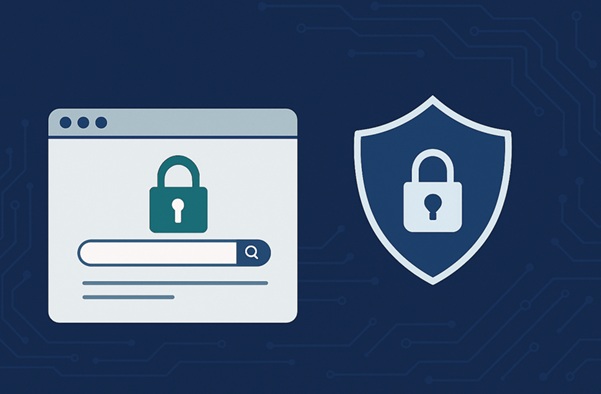
Let’s keep this simple. Most people don’t get “hacked” in a dramatic movie way: they are not attacked by a team of professional geniuses aiming for millions of dollars in profits. They lose access to accounts, get locked out of work platforms, or leak something sensitive because of small, boring mistakes: a rushed click, reused password, and a browser stuffed with old logins. That’s the reality.
And the tricky part is that modern security isn’t only about protecting your laptop from viruses. It’s about protecting your identity across dozens of websites and tools, many of which are watching your behavior and risk signals in real time.
What Attackers Actually Want
If you believe attackers aim only at your banking details, you are not right. Even your accounts themselves have a certain value. Social profiles, ad managers, e-commerce dashboards, email inboxes, crypto wallets, even workplace tools — they can be sold, abused, or used to jump into bigger targets.
Your browser also holds a lot of invisible “gold.” Cookies and active sessions can keep you logged in without typing a password. Autofill can quietly store personal details. Some sites even keep long-lived tokens that make logging in effortless. That convenience is great until someone else gets access to it.
How People Get Hit Most Often
Methods can vary significantly, still there are some “classic” options that you need to know about.
Phishing: it is one of the easiest methods. You get a message that looks real, open a link, log in, and that’s it. No complex hacking required. Fraudsters rely on the user's inattention and their belief in their own security.
Password reuse: if one old site gets breached and you use the same password somewhere important, attackers can try it everywhere. They don’t need to be smart. They just need you to be predictable.
Malicious extensions: downloading profitable or promising extensions can be a very disastrous decision. Some of such apps are obvious scams. Others look harmless, like “productivity” add-ons or free VPN tools. The risk isn’t only what they do today but what they might become after an update.
The Basics That Still Matter
Yes, here is the advice you’ve heard a hundred times. Ans it is still the best foundation.
You need to use a password manager. It removes the whole mental burden of remembering dozens of complex combos. It also makes unique passwords realistic.
Turn on MFA wherever you can. App-based codes or hardware keys are stronger than SMS. SMS is still better than nothing, but it’s not the gold standard anymore.
If you work with a team, keep access clean. Give people only what they need for their role and nothing extra. This isn’t about distrust. It’s about reducing the blast radius if something goes wrong.
Browser Problem Nobody Wants to Think About
Here’s a genuinely underrated risk: we live inside our browsers. That’s where work happens. That’s where identity lives. And that’s where people relax and get lazy. It’s so simple to trust browser’s reliability and enhanced protection that we finally forget about usual security updates and checks.
One browser profile that is used for everything is something that sounds normal until you zoom the situation out. You might have personal email in one tab, business email in another, and multiple client accounts open side by side. But cookies overlap, sessions get messy, and mistakes happen.
Even if you’re careful, shared devices or shared profiles can turn into a quiet security leak. Someone logs in quickly “just to check something.” A saved session sticks around. Access becomes accidental.
And here comes a very useful and practical habit: separate your workflows. This is the part where good security gets very simple again. If you manage multiple projects, clients, or platforms, separating environments is a solid habit. It reduces cross-contamination of sessions and avoids those “oops, I logged into the wrong account” moments that can spiral into a bigger issue.
Yet cloud browsers have chabged the whole situation to the best. As you may have guessed, they work in the cloud, and it’s a whole new experince. The protection is significant. Smer login management helps protect and save your credentials. Such browsers don’t affect the performance and operation of the computer. If your browser is cool enough, it provides separate profiles for each task, so your work and personal data won't mix, and employees won't exchange access rights.
In setups like this, tools such as Nextbrowser can help teams keep isolated browser profiles for different tasks, which supports cleaner access hygiene and lowers the risk of mixing sensitive sessions across workflows. It also protects your credentials and makes all interactions human-like.
Team Security Is Easy
Most companies don’t need a complicated security system. The main aim here is a consistent process and good intuitive instruments. It will help both small and big companies ensure their data is protected. Here are a few tips that you can use to make the system better:
- Start with roles: decide who can access which files and websites. Keep admin rights limited. When someone changes roles or leaves, adjust access quickly. C
- Think about extension policies: some teams let everyone install anything, which is basically a trust fall with your data. A shared approved list is a simple way to reduce surprises. Designate one employee as the person responsible for issuing permissions. Ensure that any applications are installed only after approval.
- Logging matters: that’s done not to spy on people, but to understand what has happened when something breaks. A clear trail can turn chaos into a quick fix and solution.
- Smart tools mean a lot: choose innovative instruments for your protection and comfort. They help you comply with data protection regulations intuitively. And that’s amazing.
Educate your employees about safety rules and ask them to adhere to them without question. Here's a short set of rules that are easy to understand and implement into your workflow:
- Update your browser and OS regularly.
- Don’t install random extensions unless you actually need them (or have a permission).
- Double-check URLs when logging into high-value accounts.
- Avoid working from public Wi-Fi unless you’re using a safe connection setup.
- Treat “urgent” messages that ask you to log in as suspicious by default.
- Use smart tools with enhanced protection.
The Takeaway
Your everyday data security is about great tools and clean routines. If your accounts are protected, your browser environment is organized, and your team access rules are clear, you’ve already done more than most people to protect your profiles.
And the best part? You don’t need to change your whole life. You just need to stop letting convenience quietly decide your risk level.