
Security | Threat Detection | Cyberattacks | DevSecOps | Compliance

Kubernetes backup console tour: backup plans, targets, policies | Trilio for Kubernetes

A tour of the Trilio for Kubernetes management console on OpenShift, so you know where everything lives before you create your first backup target and backup plan. You will see: Chapters Recorded on Red Hat OpenShift 4.21 with Trilio for Kubernetes 5.4.1.
OpenShift backup readiness: CSI snapshots and preflight check | Trilio for Kubernetes

Before you install Kubernetes backup on OpenShift, check that your cluster can take CSI snapshots. This video checks the OpenShift version, StorageClasses and VolumeSnapshotClasses, and runs the Trilio for Kubernetes preflight check. You will: Best practices covered: check the compatibility matrix before every install and every OpenShift upgrade; run the preflight against every StorageClass you protect, and again when you add one; keep CPU, memory and object-count quotas off the T4K namespace.

Install a Kubernetes backup operator on OpenShift | Trilio for Kubernetes

Install the Trilio for Kubernetes backup operator on Red Hat OpenShift from the Software Catalog (OperatorHub on earlier versions), with the settings we recommend for production. You will: Best practices covered: run only GA builds in production and stay on the latest maintenance release of your minor version; approve upgrades through change control; keep T4K alone in trilio-system, because Manual approval applies to every operator in the namespace.

Deploy Kubernetes backup on OpenShift: TrilioVault Manager | Trilio for Kubernetes

Deploy Trilio for Kubernetes on Red Hat OpenShift by creating the TrilioVault Manager, the resource that runs T4K, and open the T4K management console. You will: Best practices covered: change T4K only through the TrilioVault Manager and keep its manifest in version control (the operator reverts changes made anywhere else); size the job deadline from measured backup throughput (the default is 12 hours); measure datamover memory on a representative backup before production; reach the console through the HTTPS ingress, never port-forward.

Red Hat Open Demo Providing Operational Resiliency of OpenShift Virtualization with Trilio

This is an Open Demo Project. Abstract: Red Hat OpenShift provides a unified platform to build, modernize, and deploy applications at scale, enabling both traditional and cloud-native applications to run anywhere. The increased use of cloud-native applications, alongside virtualization, has given rise to the need for cloud-native data protection across varied infrastructure. Trilio brings data protection, backup, recovery and integration into the OpenShift Console out of the box, and seamlessly integrates with Red Hat ACM and Ansible to provide full automation.

Trilio VMware Migration To Red Hat OpenStack Platform

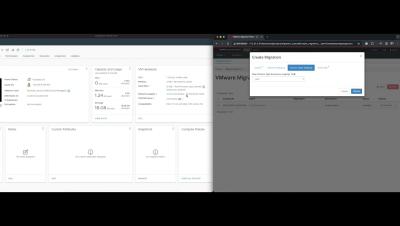
Welcome to this short video on using a new feature of Trilio for OpenStack to migrate VMware VMs to OpenStack. In this video, I will demonstrate how we will migrate a couple of CentOS VMs to my Red Hat OpenStack Platform cluster. Trilio for OpenStack integrates into the Horizon experience, and from here we can launch the VMware Migration plugin to create a Migration Plan.

Restore your OpenShift Virtualization VMs with Trilio (With Audio)

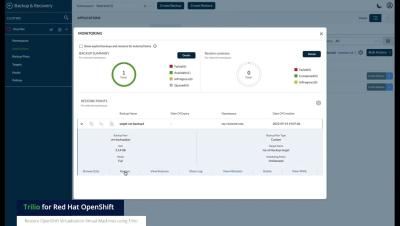
Use the Trilio UI to Restore your OpenShift Virtualization Virtual Machines. In this video we will show you how to restore a previously backed up virtual machine running in OpenShift using Trilio As we are restoring a virtual machine to the same cluster that we backed up earlier, we can use the Trilio User Interface to simply list the deployed virtual machines, and see that the status of the last backup is marked as Available for this virtual machine.

Backup your OpenShift Virtualization VMs with Trilio (With Audio)

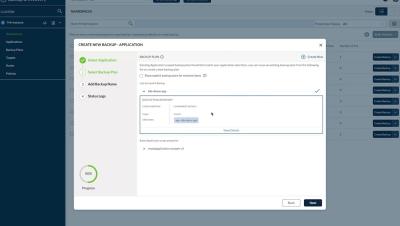
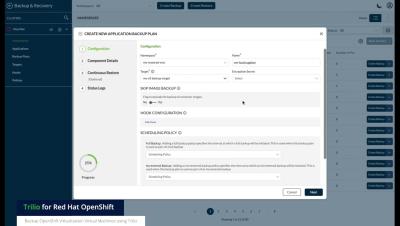
Use the Trilio UI to Backup your OpenShift Virtualization Virtual Machines. In this video we will show you how to backup individual virtual machines from OpenShift using Trilio. First we are going to log in to the Trilio User Interface using our OpenShift credentials. Trilio has a Backup Wizard that allows you to select your individual VMs that you have access to in your cluster. We’ll select this Virtual Machine and click Next.

Automatic Application Protection using Red Hat Advanced Cluster Management with Trilio (with Audio)

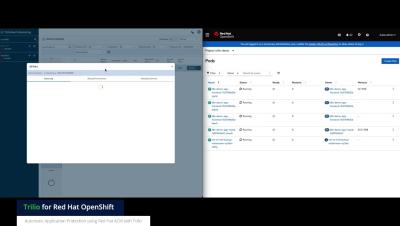
(With Audio) See how easy it is to protect a newly deployed application into OpenShift using Red Hat Ansible Automation Platform, followed by an ACM Policy written for Trilio that will auto protect the deployed application (create a backup, according to the policy) In this video we will show you an example of using Red Hat Advanced Cluster Management (or ACM) and Trilio to automatically back up an application that has just been deployed.