
Why Your Headphones Aren't Working (and What to Do About It)
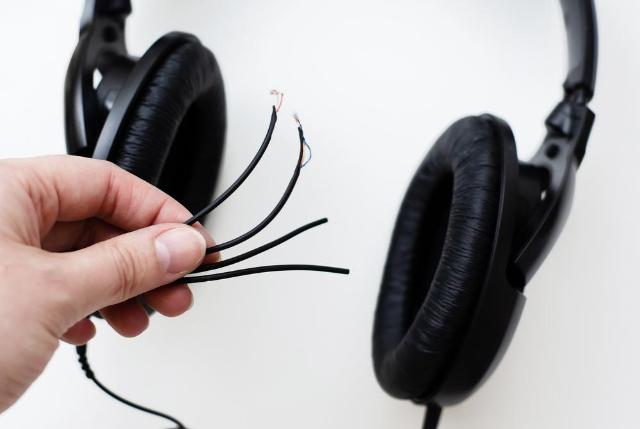
Image Source: depositphotos.com
You know that feeling: you're all set to dive into your favorite album or finally finish that podcast you've been meaning to listen to, and... nothing. Your headphones have gone completely silent. It's incredibly frustrating, and your first thought is probably "They're broken!" But hold on. More often than not, the solution is easier than you think.
Our team at Cellular Zone, a trusted spot for phone repair in New York, has seen this issue countless times. While we're always here to handle the big stuff, we love helping people with the little fixes they can do themselves. So, we put this guide together with some common problems and the easy ways to solve them.
Common Reasons Your Headphones Went Quiet
Whether you're dealing with old-school wired earbuds or brand-new wireless ones, the reasons they stop working are usually pretty similar. It's rarely some huge mystery.
- You've Got a Connection Problem. This is the number one reason, and it’s usually the simplest to fix. For wired headphones, the jack might not be all the way in. It's a silly mistake, but it happens to everyone. For wireless, the Bluetooth connection might have just dropped.
- Dirty Ports. This is a sneaky one. Your phone's headphone jack or charging port (for wireless earbuds) is a magnet for lint, dust, and random pocket gunk. That build-up can block the connection, so your headphones can't talk to your phone.
- A Software Glitch. Sometimes, the issue isn't hardware at all. A small bug in your phone’s operating system can make it forget where the audio is supposed to be going. A quick restart is usually all it takes.
- Incorrect Settings. Have you checked if your phone is still connected to another Bluetooth device, like a speaker or your car? Your phone might be trying to send audio somewhere else entirely.
- They're Actually Damaged. This one is a bummer, but it happens. A frayed wire on your wired earbuds or a bent plug can be the culprit.
- They're Dead (Wireless Only). I know, I know, it sounds obvious. But it's so easy to forget to charge them. A dead battery means no sound.
Simple DIY Tricks to Try Right Now
Ready to get your audio back? Try these steps in order, and you might not have to go any further.
- Check the Basics First.
- Turn your phone's volume all the way up. I mean, really, is it at zero?
- Do a quick restart. Seriously, just turn your phone off and on again. It's the digital equivalent of a good night’s sleep.
- Try a different pair of headphones on your phone. If they work, you know it's a problem with your original headphones. If not, it's definitely your phone.
- For Wired Headphones:
- Plug It All the Way In. Give it a firm but gentle push. You should feel a slight click.
- Clean the Port. Get a flashlight and look inside the headphone jack on your phone. See any lint? A dry cotton swab or a soft brush can help get it out. Just be super careful not to jam anything in there.
- For Wireless Headphones (Bluetooth):
- Make Sure They're Charged. Put them back in their case and give them a few minutes. Check the battery status on your phone.
- Forget and Re-pair. Go to your phone’s Bluetooth settings, “forget” your headphones, and then go through the pairing process again. It's a fresh start for the connection.
When to Bring it to a Pro
If you've tried everything above and you’re still not hearing anything, it’s probably a hardware problem. This could be anything from a faulty headphone jack to a bad audio chip inside the phone. That kind of stuff is a lot trickier to fix yourself. For issues like this, you need a pro with the right tools and expertise.
If your audio issues are specifically with your Apple device, an iPhone repair in New York specialist can help you out. We have the expertise to figure out exactly what’s wrong and get your sound back.
To find our location or see what our customers think, just visit our phone repair in New York Google Business Profile.
Conclusion
So, before you panic, remember that a silent pair of headphones doesn't always mean a trip to the store for a new pair. A quick clean or a simple re-pairing might be all you need. But if you’ve tried all the DIY tricks and still have no luck, don't worry. We're always here to help with the more serious issues so you can get back to your music.
FAQs
Q: My headphones work on my laptop but not on my phone. What does that mean?
A: If they work fine on another device, the problem is with your phone. It's likely a dirty port, a software issue, or a problem with the phone’s internal audio hardware.
Q: Can water damage cause my headphones to stop working?
A: Yes, absolutely. Moisture can mess with the internal circuits of both your headphones and your phone, so it’s something to consider if you’ve had an accident with liquid.
Disclaimer
This information is for educational purposes only and is not a substitute for professional technical advice. If you are not comfortable performing any of these steps, please consult a qualified repair technician.