
Why Testing Your Webcam and Microphone Is Essential for Online Security and Performance
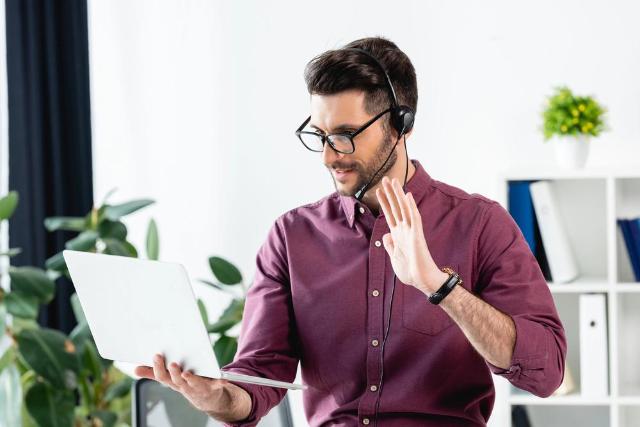
Image Source: depositphotos.com
In an age where remote communication has become a routine part of daily life, webcams and microphones are no longer optional accessories. They are essential tools for work, education, and collaboration. Whether attending virtual meetings, hosting webinars, or joining online interviews, these devices play a central role in how we present ourselves and interact with others.
However, while most users focus on functionality and convenience, fewer consider the security and performance implications of poorly configured or untested devices. A malfunctioning webcam or microphone is not just an inconvenience. It can expose vulnerabilities, disrupt professional interactions, and compromise user experience.
Understanding how to properly test and secure these devices is a crucial step toward maintaining both digital efficiency and online safety.
Why You Should Always Test Your Webcam and Mic Before Going Live
Before joining any virtual session, it is essential to ensure that your devices are working as expected. Using tools that allow you to test your webcam and mic can help identify potential issues early, preventing disruptions during important interactions.
Testing your setup is not only about checking if the camera turns on or the microphone records sound. It involves verifying video clarity, audio quality, synchronization, and device permissions. These factors directly affect how others perceive you in a digital environment.
From a security perspective, testing also allows users to confirm which applications have access to their devices. Unauthorized access to webcams and microphones has been a long-standing concern in cybersecurity. By reviewing permissions during testing, users can detect suspicious activity or unnecessary access requests.
In professional settings, preparation reflects credibility. A seamless audio and video experience contributes to effective communication and helps maintain a polished digital presence.
Common Risks Associated with Webcams and Microphones
Despite their widespread use, webcams and microphones can introduce several risks if not properly managed. One of the most significant concerns is unauthorized access. Malware or malicious software can exploit vulnerabilities to gain control of these devices without the user’s knowledge.
This type of intrusion can lead to privacy breaches, where attackers monitor or record sensitive information. While modern operating systems have improved security features, users must still remain vigilant and proactive in managing device permissions.
Another risk involves outdated drivers or software. Devices that are not regularly updated may contain security flaws that can be exploited. Keeping software up to date is a simple yet effective way to reduce exposure to potential threats.
There is also the issue of data leakage. Some applications may request access to your camera or microphone even when it is not necessary for their functionality. Granting such permissions without careful consideration can increase the risk of unintended data sharing.
Lastly, poor configuration can lead to performance issues that indirectly affect security. For example, low-quality audio may result in miscommunication during critical discussions, potentially leading to errors or misunderstandings.
The Importance of Regular Device Checks
Regularly testing your webcam and microphone should be part of your broader digital hygiene routine. Just as users update passwords or install security patches, checking device performance ensures that everything functions correctly and securely.
Routine checks can help identify hardware issues such as damaged cables, faulty microphones, or camera malfunctions. Detecting these problems early allows users to address them before they impact important activities.
Additionally, testing helps maintain consistency. Different applications may use different settings or configurations, leading to variations in performance. By conducting regular checks, users can standardize their setup and ensure a reliable experience across platforms.
Consistency is particularly important for professionals who rely on virtual communication. Whether participating in client meetings or delivering presentations, having dependable audio and video quality enhances overall effectiveness.
Best practices for securing your webcam and microphone
Securing your devices requires a combination of awareness and proactive measures. One of the simplest yet most effective steps is to manage application permissions carefully. Only grant access to trusted applications and revoke permissions that are no longer needed.
Using physical covers for webcams is another widely recommended practice. While it may seem basic, covering your camera when not in use provides an additional layer of protection against unauthorized access.
For microphones, users should be mindful of background applications that may be actively using audio input. Monitoring system settings can help identify and disable unnecessary usage.
Keeping your operating system and drivers updated is equally important. Updates often include security patches that address newly discovered vulnerabilities. Neglecting these updates can leave devices exposed to potential threats.
It is also advisable to use reputable security software that can detect and block malicious activity. Antivirus and anti-malware tools play a critical role in safeguarding devices from unauthorized access.
Finally, users should be cautious when downloading software or clicking on unfamiliar links. Many cyber threats originate from deceptive sources that trick users into granting access to their devices.
Enhancing performance for better communication
While security is a primary concern, performance should not be overlooked. Clear audio and high-quality video are essential for effective communication, especially in professional and educational contexts.
Lighting plays a significant role in video quality. Ensuring that your face is well-lit can improve clarity and reduce visual noise. Positioning the camera at eye level also creates a more natural and engaging presence.
For audio, using an external microphone can significantly enhance sound quality compared to built-in options. Reducing background noise and choosing a quiet environment further improves clarity.
Internet connectivity is another critical factor. A stable connection ensures smooth video streaming and prevents interruptions. Users should test their network speed and make adjustments if necessary.
Additionally, adjusting software settings such as resolution and audio sensitivity can optimize performance based on available resources. These small adjustments can make a noticeable difference in overall quality.
The role of testing in professional environments
In professional settings, the importance of testing cannot be overstated. Virtual meetings, webinars, and online interviews often serve as key moments for communication and decision-making. Technical issues during these interactions can create negative impressions and hinder productivity.
Testing devices beforehand ensures that meetings run smoothly and allows participants to focus on the content rather than technical difficulties. It also demonstrates professionalism and attention to detail.
For organizations, establishing standard testing protocols can improve overall efficiency. Encouraging employees to check their devices before meetings reduces the likelihood of delays and disruptions.
In customer-facing roles, reliable audio and video quality contribute to a positive user experience. Clear communication builds trust and enhances the effectiveness of interactions.
Conclusion
Webcams and microphones have become indispensable tools in today’s digital landscape. While their primary function is to facilitate communication, they also introduce important considerations related to security and performance.
Taking the time to test and secure these devices is a simple yet impactful step toward maintaining a safe and efficient digital environment. By incorporating regular checks, managing permissions, and following best practices, users can minimize risks and ensure a seamless experience.
As remote communication continues to evolve, the importance of reliable and secure devices will only grow. Whether for professional or personal use, proactive testing and thoughtful configuration are essential for navigating the digital world with confidence.