
Why Is My Phone Not Detecting My SIM Card? Troubleshooting Guide from Owl Repairs
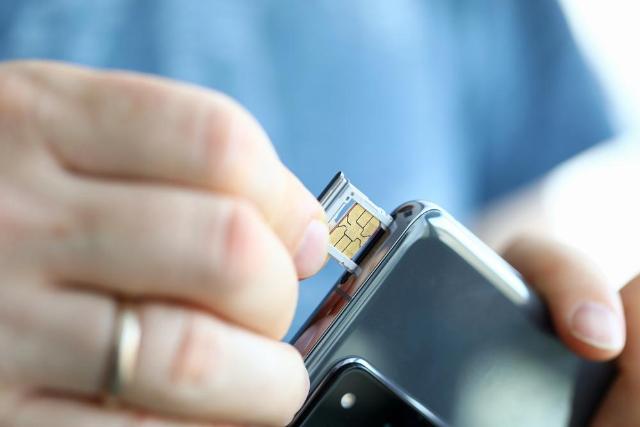
Image Source: depositphotos.com
Is your phone suddenly saying "No SIM" or "SIM Not Detected" even though your SIM is securely in place? You're not alone. This is a common and frustrating issue faced by both iPhone and Android users. At Owl Repairs, we've helped hundreds of customers solve SIM detection issues with quick diagnostics and repairs that restore your phone’s functionality.
Whether you're a tech novice or someone looking for DIY troubleshooting steps, this comprehensive guide will walk you through the most common causes of SIM card problems and how to fix them. This topic falls under YMYL (Your Money or Your Life) as your phone access affects not just communication but financial services, health apps, and emergency contact features.
Understanding the Problem: Why Your SIM Card May Not Be Detected
When a phone fails to detect the SIM card, the causes can range from minor software glitches to serious hardware malfunctions. Recognizing the correct reason is key to applying the right fix.
Common Reasons Your Phone Is Not Detecting SIM
1. SIM Card Misalignment
The SIM card must be properly aligned in the tray. Even a slight misalignment can prevent your phone from recognizing it.
2. Dirty or Damaged SIM Card
Dust, moisture, or scratches can interfere with connectivity. If your SIM card is visibly damaged, it may need to be replaced.
3. Software Bugs or OS Updates
Sometimes, a new iOS or Android update can create temporary glitches, including SIM detection errors. These bugs usually get patched in future updates.
4. Carrier Lock or Restrictions
If your phone is locked to a specific carrier, inserting a SIM from another network may prompt a "SIM Not Supported" message. This is especially common when switching carriers without unlocking your phone.
5. Corrupted Network Settings
If your network configuration is corrupted, it can prevent SIM recognition. Resetting these settings can often restore functionality.
6. Hardware Faults in SIM Tray or Reader
If your phone has been dropped or exposed to water, internal damage to the SIM tray or reader could be preventing detection. In such cases, a hardware inspection is required.
Detailed Step-by-Step Troubleshooting Guide
Step 1: Restart Your Phone
A basic but often effective fix. Restarting clears temporary software glitches.
Step 2: Remove and Reinsert the SIM Card
- Power off your device.
- Use a SIM ejector tool or paperclip to remove the tray.
- Clean the SIM card gently with a microfiber cloth.
- Reinsert it securely.
Step 3: Try the SIM Card in Another Phone
This step confirms whether the issue is with the SIM card or your device. If it works in another phone, the problem lies with your handset.
Step 4: Update Your Operating System
Go to Settings > Software Update. If available, install the update. System updates often include bug fixes related to connectivity.
Step 5: Reset Network Settings
- iPhone: Settings > General > Transfer or Reset > Reset Network Settings
- Android: Settings > System > Reset Options > Reset Wi-Fi, Mobile & Bluetooth
Note: This won’t delete personal data but will reset Wi-Fi and Bluetooth pairings.
Step 6: Check for Carrier Lock Status
Dial *#06# to get your IMEI, then contact your carrier to check lock status. A locked phone won't accept SIM cards from other networks.
Step 7: Test with a Different SIM Card
Borrow a known working SIM card and insert it into your phone. If it’s detected, your original SIM may be faulty or deactivated.
Step 8: Inspect SIM Tray and Slot
Use a flashlight to inspect the tray and slot for debris or damage. Bent pins or corrosion inside the SIM slot indicate a need for professional repair.
Step 9: Boot in Safe Mode (Android)
Booting into Safe Mode disables third-party apps:
- Hold Power > Tap and hold Power Off > Tap Safe Mode If the SIM is detected here, an app may be causing the conflict.
Step 10: Seek Professional Help
If all else fails, it's time to let an expert examine your device. Issues such as damaged SIM readers, motherboard failures, or water damage require specialized tools and knowledge.
Special Considerations for iPhone and Android
iPhone-Specific Fixes
- Enable/Disable Airplane Mode
- Go to Settings > Cellular and make sure Cellular Data is on
- Tap Settings > General > About to update carrier settings
Android-Specific Fixes
- Clear SIM Toolkit cache: Settings > Apps > Show System > SIM Toolkit > Clear Cache
- Reset APN settings: Settings > Mobile Network > Access Point Names > Reset to Default
When to Replace the SIM Card
Replacing your SIM card may be necessary if:
- The card is over 5 years old and showing wear
- It no longer works in any device
- Your carrier has migrated to newer technologies (e.g., VoLTE-only)
Visit your carrier’s store or kiosk to request a new SIM. Most offer replacements free of charge.
Preventive Tips to Avoid SIM Detection Issues
- Turn off your phone before removing or inserting the SIM
- Use a phone case that protects the SIM tray from bending
- Avoid moisture, dust, and drops
- Get routine checks from trusted technicians like the team at Owl Repairs
Still Not Working? Owl Repairs Can Help
If your SIM card is still not being detected after trying all these steps, it’s time for a professional diagnosis. Our experts at Owl Repairs use advanced tools to identify whether the issue lies in the SIM slot, motherboard, or firmware.
📲 Get a fast, no-obligation estimate using our Instant Quote Tool
We offer in-store and on-site repairs, including same-day service in many cases.
Summary and Final Takeaways
SIM card not detected issues are common—but fixable. From cleaning your SIM to checking for software bugs and verifying hardware integrity, the right steps can restore your phone’s full functionality.
If you’ve exhausted all options, don’t risk further damage. Owl Repairs is here to help you get back to what matters—staying connected.
FAQs
Q1: Why does my phone keep saying "No SIM Card Installed"? A1: Possible reasons include a misaligned SIM, corrupted network settings, or a hardware issue. Follow the steps above to narrow it down.
Q2: Can I repair a damaged SIM slot myself? A2: No. The SIM slot has delicate pins that require micro-soldering to repair. Always seek expert help.
Q3: Will a factory reset fix the issue? A3: Only if the problem is software-related. Back up your data before attempting a full reset.
Q4: Is a SIM card reader repair expensive? A4: It depends on the phone model. Use Owl Repairs’ Instant Quote Tool for accurate pricing.
Disclaimer
The content in this post is for informational purposes only and does not constitute professional repair advice. Always consult a certified technician before attempting repairs that could void warranties or damage your device further.