
Why Is My Instagram Locked? Analyzing 7 Key Causes Based on User Data
Image Source: depositphotos.com
Your Instagram account was just locked. No warning, no clear reason — and suddenly, your entire feed, messages, followers, and memories are off-limits. You're not alone.
Thousands of users experience Instagram account locks every single day. Whether it’s a temporary restriction or a full suspension, one thing’s certain — it’s frustrating and often confusing. That’s why we’ve analyzed real user behavior and system data to uncover the 7 most common reasons Instagram locks accounts.
And if you’re looking for a fast workaround to view private Instagram profiles while your account is inaccessible — use a reliable Instagram profile viewer. It’s anonymous, login-free, and works even when your own account is down.
Let’s explore why Instagram locks accounts and how to stay protected.
1. Suspicious Login Attempts
Instagram monitors login patterns closely to protect users from hacks and impersonation. If you attempt to log in from:
- A new device
- A different country
- A browser with VPN masking
...you might trigger a suspicious login alert.
In many cases, Instagram will restrict access temporarily until you confirm your identity. If the platform can't verify the login, it may lock your account entirely.
How to avoid this:
- Always enable two-factor authentication (2FA)
- Use a consistent device and trusted network
- Avoid unknown third-party login prompts
2. Using Bots or Unauthorized Third-Party Apps
Trying to grow your profile fast by automating likes, follows, or messages? That could backfire — fast.
Instagram’s system is trained to detect unnatural behavior patterns. If you use tools that:
- Auto-follow/unfollow users
- Mass-like posts within seconds
- Send automated comments or DMs
…you’ll likely be flagged for suspicious activity. In many cases, this results in immediate account action — either a warning, a block, or a full lock.
Why others fail: Most automation tools are easily detected. Many don’t provide anonymity, often require app downloads, and frequently fail with private accounts.
Why PeekViewer wins: It allows users to view private Instagram profiles without any engagement or login — eliminating the risks that come from bot usage.
3. Violating Instagram’s Community Guidelines
Instagram enforces its community standards through both AI detection and user reporting. Even a single post can get you locked out if it violates:
- Nudity or sexually suggestive content
- Hate speech or offensive language
- Misinformation or spam-like behavior
Repeated offenses increase your risk. Sometimes, users are penalized even for borderline content that isn’t explicitly against the rules.
What to do:
- Regularly review the Community Guidelines
- Avoid resharing controversial memes or third-party content
- Keep your profile clear of aggressive growth tactics
4. Buying Fake Followers or Engagement
You’ve seen them: services offering 10,000 followers for a small fee. But those numbers come at a cost.
Instagram's algorithm detects inauthentic growth patterns. If your account experiences:
- Sudden spikes in followers
- Unusual comment patterns
- Duplicate or generic engagement
…it may be flagged and restricted. Worse, many of those followers are bots — which Instagram deletes during regular purges.
Risks include:
- Permanent bans
- Lower reach (shadowbans)
- Frozen growth for extended periods
Alternative? Skip fake growth. If you just want access to someone’s content, PeekViewer provides safe, anonymous visibility into even private profiles — no following, liking, or commenting required.
5. Performing Too Many Actions Too Fast
Instagram imposes hidden rate limits. Actions that cross the threshold may include:
- Following over 100 people/hour
- Liking hundreds of posts within minutes
- Commenting with similar text repeatedly
These behaviors often trigger an Action Block, which restricts certain features. If repeated or escalated, this can lead to a full account lock.
How to spot it:
- Error messages like “Try Again Later”
- Lost access to likes/comments
- Slowed-down response from the app
Stay safe by:
- Spacing out actions naturally
- Avoiding third-party automation
- Watching your daily interaction volume
6. Phishing, Hacking, and Account Compromises
Instagram flags accounts that may have been compromised — either by phishing or brute-force attacks.
Scenarios that lead to automatic account locks include:
- Login from unrecognized or flagged devices
- Reports of spam sent from your account
- Detected password leaks from other platforms
In response, Instagram may freeze your account and request:
- A selfie verification
- Proof of identity (e.g. official documents)
- A security form via the Help Center
Prevention tips:
- Never click links in random DMs or bio URLs
- Use a strong, unique password
- Check login history regularly
7. Reports, Copyright Complaints, or Identity Issues
Accounts may be temporarily locked if they’re reported for:
- Impersonating another person
- Posting copyrighted content (e.g. music clips, memes)
- Receiving multiple content strikes
Even false claims can result in temporary blocks as Instagram reviews the case. Accounts that are inactive during review can remain locked indefinitely.
To reduce risk:
- Verify your identity if offered
- Don’t use public figures’ names or images without consent
- Use original content or royalty-free assets
How to Regain Access to a Locked Instagram Account
If your account is already locked, take these recovery steps:
- Open Instagram and follow the on-screen prompts
- Tap “Need More Help?” if login fails
- Confirm your identity via email, phone, or ID
- Wait for Instagram to review and restore access
Note: This process can take from several hours to several days. During that time, your profile remains invisible and inaccessible — even to you.
PeekViewer: Your Smart Alternative While Locked Out
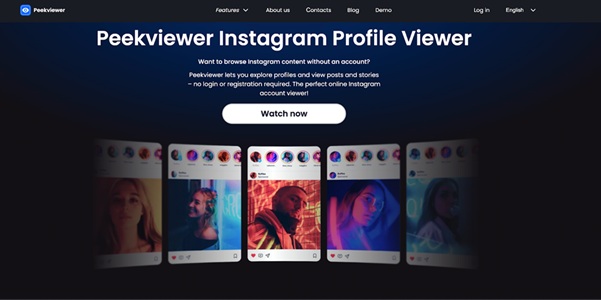
If your account is locked, you lose access to content — not just your own, but others’ as well. That’s where PeekViewer comes in.
What it offers:
- View private Instagram profiles
- No account or login required
- Anonymous viewing — no detection or traces
- Works even when your account is suspended
Most Instagram viewer alternatives fail to:
- Provide access to private accounts
- Maintain full user anonymity
- Bypass login requirements
PeekViewer doesn’t have those limitations. You can still view the content you need — instantly and privately.
Extra Tips to Stay Safe on Instagram
To reduce your risk of getting locked out:
- Enable two-factor authentication (2FA)
- Avoid suspicious growth tools and browser extensions
- Regularly check your login activity and logout from unknown sessions
- Don’t link Instagram to suspicious apps or games
- Report phishing messages immediately
Remember: the more proactive you are, the more secure your account remains.
Verdict: Know the Triggers — and Stay in Control
Instagram locks can happen fast — and without clear reasons. Whether it's due to login issues, policy violations, or automation triggers, knowing these causes can help you stay ahead.
If you’re ever locked out and still need to see private profiles, PeekViewer provides a smart, safe, and anonymous solution. It works even when your account doesn’t.
Stay alert. Stay secure. And use tools that protect your privacy — not put it at risk.