
What Data Should You Prepare Before Migrating to NetSuite?
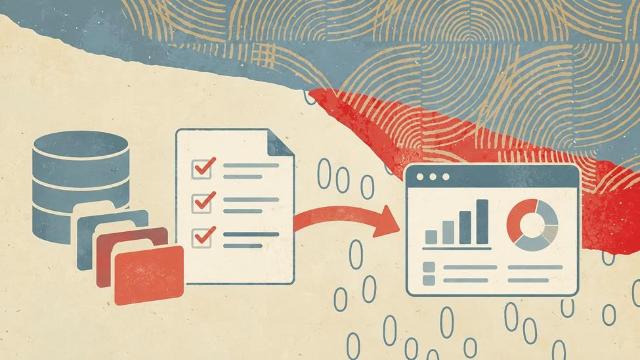
Moving to NetSuite is a major step for a growing business. It can bring finance, operations, inventory, sales, and reporting into one system.
But before the migration starts, you need to prepare your data.
Poor data can create delays, errors, and extra work during implementation. Clean and organized data makes the move much smoother. It also helps your team get more value from NetSuite after go-live.
Here is the data you should prepare before migrating to NetSuite.
1. Customer Data
Your customer records are one of the most important parts of your system.
Before migration, review your customer list and remove duplicate or outdated records. An implementation partner that sets up Netsuite ERP for your business will usually ask for this cleaned list first, because duplicate customers become duplicate invoices after go-live.
Prepare information such as:
- Customer names
- Company names
- Billing addresses
- Shipping addresses
- Email addresses
- Phone numbers
- Customer status
- Payment terms
- Credit limits
- Sales representatives
- Customer categories
Make sure fields are formatted in the same way. For example, avoid having one customer listed as "ABC Inc." and another as "ABC Incorporated" if they are the same company.
Cleaning these records early can prevent confusion later.
2. Vendor and Supplier Data
Vendor data should also be reviewed before moving into NetSuite.
This may include:
- Vendor names
- Contact details
- Billing information
- Payment terms
- Tax information
- Currency
- Banking details
- Vendor categories
- Open bills
Check for vendors that are no longer active. You may not need to move every old supplier into your new system.
Deciding what to keep can reduce the amount of data you need to migrate.
3. Chart of Accounts
Your chart of accounts is the foundation of your financial records.
Before migration, review your current accounts with your finance team.
Prepare:
- Account names
- Account numbers
- Account types
- Parent and child accounts
- Departments
- Locations
- Classes
- Current balances
This is also a good time to simplify your chart of accounts.
Some businesses discover that they have old, duplicate, or unused accounts. NetSuite implementation gives you a chance to clean up that structure instead of copying old problems into a new system.
4. Open Financial Transactions
You will also need to decide which financial transactions should move into NetSuite.
Common records include:
- Open invoices
- Open sales orders
- Open purchase orders
- Vendor bills
- Customer payments
- Vendor payments
- Credit memos
- Deposits
- Journal entries
Your implementation team may recommend moving only open transactions instead of every transaction from your old system.
Older history can sometimes be stored separately for reference.
5. Inventory and Item Data
If your business sells or manages products, inventory data needs close attention.
Prepare details such as:
- Item names
- SKUs
- Product descriptions
- Units of measure
- Sales prices
- Purchase prices
- Inventory quantities
- Warehouse locations
- Reorder points
- Preferred vendors
- Product categories
- Lot or serial numbers
Make sure SKUs and product names are consistent.
Duplicate items can cause problems with inventory counts, reporting, and order processing.
6. Employee and User Data
You may also need to migrate employee information.
This can include:
- Employee names
- Job titles
- Departments
- Locations
- Email addresses
- Managers
- Roles
- Approval levels
You should also decide which employees need access to NetSuite.
Not every employee needs the same permissions. Finance teams, sales teams, warehouse staff, and managers may each need different roles.
Planning access early can make user setup easier.
7. Historical Data
One common question is how much historical data to migrate.
You may want several years of transaction history inside NetSuite, but moving large amounts of old data can increase project time and cost.
Ask your team:
- How often do we use old transaction data?
- Do we need it for audits?
- Do we need it for reporting?
- Can older records stay in the previous system?
- How many years of history should move?
There is no single answer for every business.
The goal is to migrate the data your team actually needs.
8. Custom Fields and Business-Specific Data
Your current systems may contain custom fields that support your business processes.
Examples include:
- Customer classifications
- Product attributes
- Contract dates
- Subscription details
- Sales territories
- Internal tracking codes
- Project information
Review each custom field before migration.
Some may no longer be useful. Others may need to be recreated in NetSuite.
Clean Your Data Before Migration
Do not wait until the final stage of implementation to clean your records.
Before handing data to your NetSuite implementation partner, look for:
- Duplicate records
- Missing fields
- Incorrect addresses
- Old customers or vendors
- Inconsistent naming
- Invalid email addresses
- Incorrect account codes
- Outdated products
Clean data can save time during testing and reduce errors after launch.
Final Thoughts
A successful NetSuite migration is not only about moving data. It is about moving the right data.
Start preparing early. Review your customers, vendors, finances, inventory, employees, transactions, and custom records. Remove information you no longer need and fix errors before migration begins.
The better your data is before implementation, the easier it will be to build a reliable NetSuite system.
Working with an experienced NetSuite implementation partner can also help you decide what to migrate, how to format it, and how to test your data before go-live.