
Simple Ways to Investigate a Website's Background and Ownership

Image Source: depositphotos.com
You’ll surely agree that the whole world’s now digital, and almost every business now depends on a website to present services, sell products, share information, or attract customers.
A website now stands as the first point of contact for buyers, clients, partners, researchers, and general users.
For instance, approximately 2.77 billion people shop online globally, which clearly shows how common online buying has become worldwide.
However, the question is, can you really trust every website before you buy online?
The simple answer is, No, you can’t, and you shouldn’t.
It is very important to check a website’s background and ownership before you trust the website and the business behind it.
Why Must You Check a Website’s Background and Ownership?
Every website can look professional on the surface with a clean homepage, service or product pages, contact forms, and social icons that create instant trust.
However, none of this alone tells you
- Who runs the website
- How long has it existed
And
- Whether the business behind it is credible.
Therefore, you must do a background check, as it gives you clarity before you trust the website any further.
Notably, different people need this check for different reasons, and each reason connects directly with trust, risk, or decision-making:
- Buyers need to confirm whether an online store or service website deserves trust before placing an order or making a payment.
- Business owners need to review competitor websites, vendor websites, or potential partner websites before outreach or market evaluation.
- Marketers need to assess website credibility before backlink outreach, sponsored placements, guest posting, or collaboration (to spot whether a site has been weaponized in a negative SEO scheme that could quietly damage their own domain's authority.).
- Freelancers and agencies need ownership clarity before website migration, technical support, access handling, or project takeover.
- Decision-makers need background details before subscriptions, renewals, service commitments, or long-term business deals.
- Researchers and journalists need source verification before they rely on website claims, publish findings, or reference online information.
- Technical teams need to confirm who controls the domain, hosting, or website environment before audits, updates, or infrastructure changes.
- Investors and analysts need ownership signals before they connect a website with a business, project, or public claim.
- General users need early warning signs before they trust an unfamiliar website with money, contact details, or personal information.
Method 1: Check the Domain WHOIS Record First
The domain WHOIS record helps you understand how old the domain really is, whether the domain has a visible ownership trail, whether the record stays public or private, and how the website stands in terms of credibility and history. It also gives you a strong starting point for deeper ownership research.
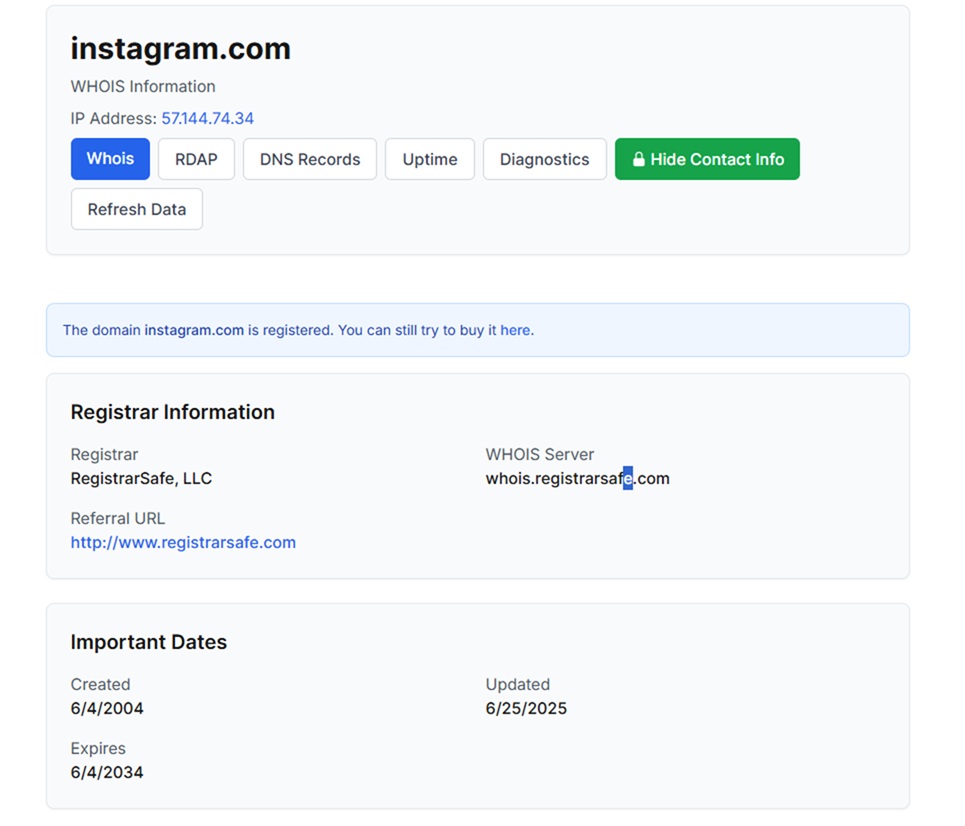
What the domain WHOIS record reveals:
- Domain registration date
- Domain expiration date
- Last update date
- Registrar name
- Nameserver details
- Domain status codes
- Registrant or organization details when public
- Contact details when public
- Privacy protection status
How to check the domain WHOIS record properly:
- Open a WHOIS lookup tool
- Enter the full domain name
- Search the domain record
- Review the registration date carefully
- Review the expiration date for the domain continuity signals
- Check the registrar's name
- Check whether the registrant or organization details appear publicly
- Review the privacy protection status
- Review nameserver details for infrastructure clues
- Review domain status codes and update history
- Compare the WHOIS record with the website brand, company claims, and public contact details
In case the WHOIS record shows a recent domain, private ownership details, or mismatched information, then you should move forward with a closer review before trust.
Method 2: Trace the Website Server With an IP Address Lookup
IP Address Lookup helps you trace the technical footprint behind a website. It helps you move from domain records to server-related details and uncover more background signals connected with the website.
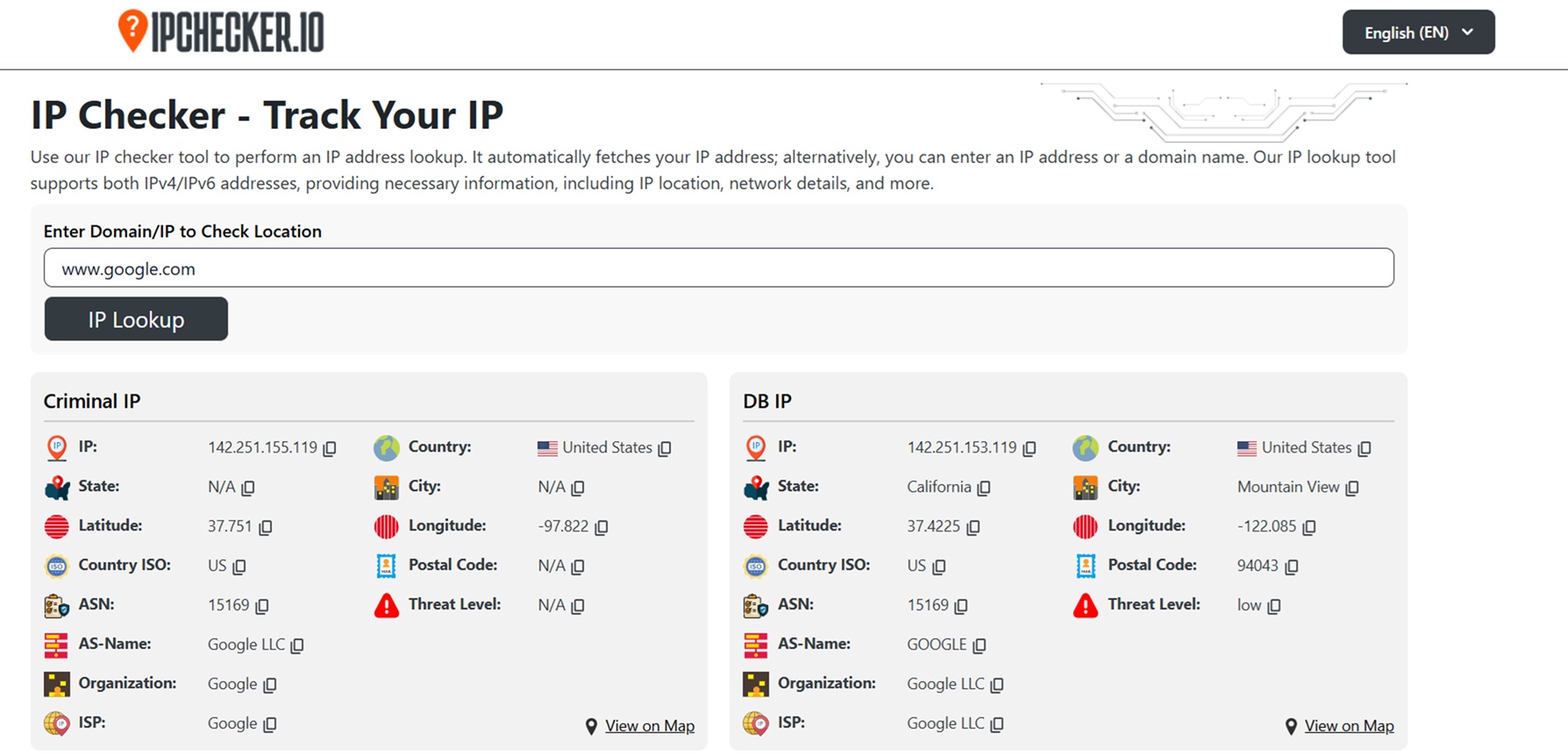
What IP Address Lookup reveals:
- IP address connected with the website
- Country, state, and city are linked with the IP
- Latitude and longitude details
- ASN number
- AS name
- Organization name
- ISP name
- General IP geolocation data
- Network profile details for supported lookups
How to use IP Address Lookup properly:
- Open the IP Address Lookup tool
- Enter the full domain name or IP address
- Run the lookup
- Review the IP address connected with the website
- Check the country, state, and city details
- Check the ASN and AS name
- Review the organization and ISP name
- Compare the IP results with the website brand, market, and public business claims
- Use the findings to understand where the website infrastructure points
If the IP lookup shows unusual location signals, mismatched organization details, or infrastructure data that does not align with the website, then you should move forward with closer review before trust.
Method 3: Verify Network Ownership With IP WHOIS Lookup
IP WHOIS Lookup helps you verify who controls the IP range connected with a website. The method gives you ownership clues at the network level and helps you understand which organization received the IP allocation. So, IP WHOIS Lookup supports a more informed review of website background and control.
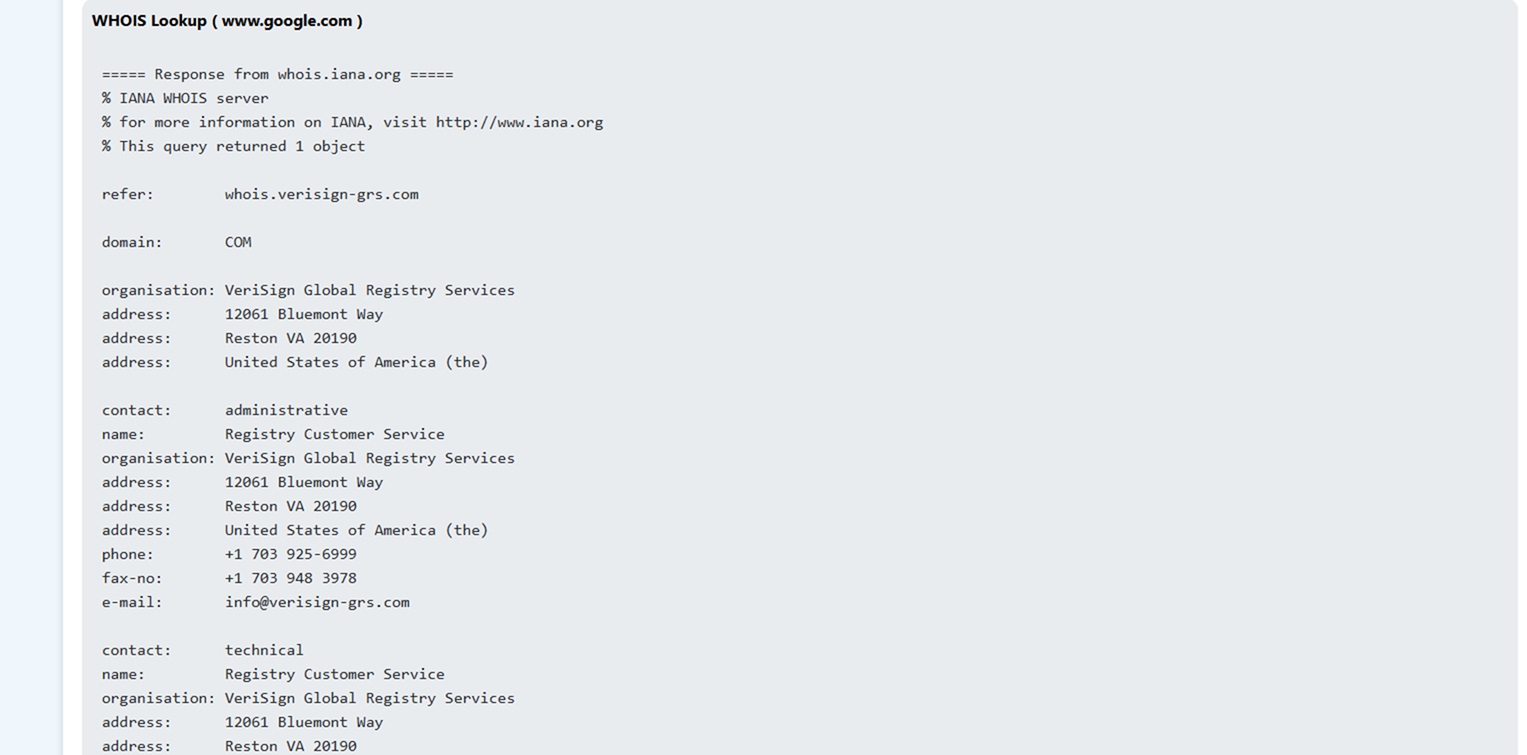
What IP WHOIS Lookup reveals:
- Organization or owner name tied to the IP block
- Contact details when available
- Regional Internet Registry details
- Autonomous System numbers
- Abuse contact details
- IP block allocation details
- Location details connected with the record
How to use IP WHOIS Lookup properly:
- Open the IP WHOIS Lookup tool
- Enter the website IP address
- Run the lookup
- Review the organization or owner name
- Check the registry information
- Review the network and AS details
- Check contact and abuse details when available
- Review the IP block allocation information
- Compare the IP WHOIS result with the website, domain WHOIS record, and IP Address Lookup result
In case the IP WHOIS result shows mismatched ownership details, unclear allocation records, or information that does not align with the website, then stop right there. You must move forward with a closer review before trust.
Method 4: Review the Website for Public Ownership Signals
Well, you must agree that a website itself gives you ownership clues. So, you should do a manual review to confirm whether the visible business identity aligns with the domain and network details you already checked.
What public ownership signals reveal:
- Business or brand name
- Company address
- Contact email and phone number
- About page details
- Privacy Policy details
- Terms and Conditions details
- Copyright notice
- Company registration or legal information, when available
- Social profile links connected with the business
How to review the website properly:
- Open the website homepage
- Review the footer for company or copyright details
- Open the About page
- Open the Contact page
- Review the Privacy Policy page
- Review the Terms and Conditions page
- Check for company address, email, and phone number
- Check whether the business name stays consistent across pages
- Review linked social profiles
- Compare all visible details with the domain WHOIS, IP Address Lookup, and IP WHOIS Lookup results
So, if you notice missing legal details, inconsistent business information, or public signals that do not align with earlier findings, then don’t trust the website.
What Else to do When Website Ownership Details are Hidden?
- Check older website versions through web archive records
- Search the domain name in Google with quotation marks
- Search the brand name together with scam, reviews, or complaints
- Check public business directories for matching company details
- Review SSL certificate details for extra ownership clues
- Check whether the website appears on trusted third-party platforms
- Verify whether the contact email uses the same domain
- Look for consistent business details across external sources
- Avoid payment or sensitive data sharing until stronger signals appear
Bottom Line
So, the easiest ways to investigate a website’s background and ownership are domain WHOIS, IP Address Lookup, IP WHOIS Lookup, and public ownership signals on the website itself.
Keep in mind that in case these checks reveal hidden ownership, mismatched details, or unusual records, then you must move forward with caution.