
Lost Your Files? Your Guide to Data Recovery and What Not to Do
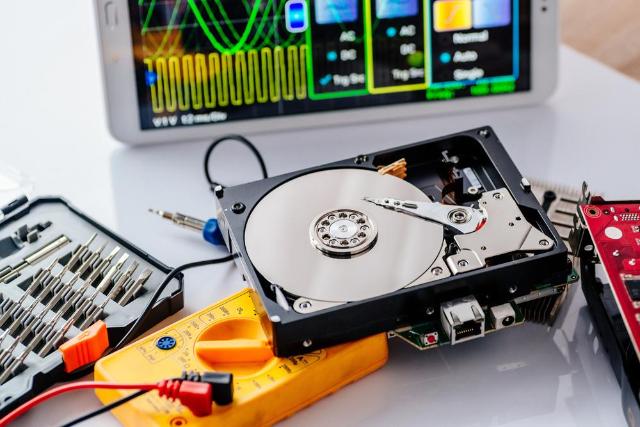
Image Source: depositphotos.com
That stomach-dropping moment when you realize important files are gone—whether you accidentally deleted them, your hard drive crashed, or a virus wiped them out. It's a truly terrible feeling. Photos, work documents, cherished memories... poof! Gone. But here’s the thing: "gone" doesn't always mean "gone forever." Often, those files are still lurking somewhere, just waiting to be recovered.
Here at scomputing.ca, we understand how devastating data loss can be. We’ve helped countless people recover their precious files from what seemed like impossible situations. This guide isn't just about what to do but, just as importantly, what you absolutely should NOT do to maximize your chances of getting your data back.
Understanding Data Loss: Why Files Disappear
Before we dive into recovery, it helps to know why files vanish. When you "delete" a file, your computer usually doesn’t actually erase it immediately. Instead, it marks that space on your hard drive as "available" for new data. The file itself might still be there, intact, until new information overwrites it.
Common reasons for data loss include:
- Accidental Deletion: The classic "oops" moment.
- Hard Drive Failure: Your drive physically stops working.
- Virus/Malware: Malicious software can delete, encrypt, or corrupt your files.
- Operating System Corruption: A system crash or bad update can make files inaccessible.
- Physical Damage: Spills, drops, or fire can severely damage the storage device.
The ABSOLUTE MOST IMPORTANT RULE: STOP USING THE DEVICE!
This is crucial. As soon as you realize files are missing, stop using the affected computer, hard drive, or USB stick immediately.
Why? Because every moment you continue to use the device, you risk writing new data to the "available" space where your lost files might still be residing. Once that space is overwritten, those files are likely gone forever. If you accidentally deleted something from your main drive, shut down your computer right away. Don’t restart it, don’t install new software, don’t even browse the internet.
What to Do (And What Not To Do) Next
Now that you've stopped using the device, here’s a guide to your next steps:
DO:
- Check Your Recycle Bin/Trash: This sounds basic, but it's often the quickest fix for accidental deletion.
- Look for Backups: Have you used cloud storage (Google Drive, OneDrive, Dropbox, iCloud)? Did you back up to an external hard drive recently? This is always the easiest way to recover files.
- Consider Recovery Software (Carefully): If you lost files on an external drive or a drive that isn't your main operating system, you might try reputable data recovery software. Important: Install the software on a different drive, not the one you're trying to recover from!
- Seek Professional Help Immediately: If the data is critical, if the device is making strange noises, or if you're uncomfortable with DIY attempts, call in the experts. Professionals have specialized tools and cleanroom environments (for physical damage) that significantly increase recovery chances without risking further damage.
DON'T:
- Don't Keep Using the Device: We can't stress this enough. Every operation risks overwriting your data.
- Don't Install New Software on the Affected Drive: This includes recovery software. It just writes more data to the drive.
- Don't Reformat the Drive: This wipes everything and makes recovery much harder, if not impossible.
- Don't Physically Tamper with the Drive: Opening a hard drive outside a cleanroom environment can introduce dust and permanently destroy it.
- Don't Listen to "Miracle Fixes" Online: Many online tips can cause more harm than good. Stick to reputable advice.
When to Call the Experts
If your hard drive is making clicking noises, your computer won't boot, or you're dealing with critical business data, it's always best to contact professionals immediately. Our team has the expertise to handle complex data recovery scenarios, from physically damaged drives to corrupted file systems. We understand the urgency of lost data and work diligently to recover it safely and effectively.
To schedule a consultation or learn more about our services, you can book a repair online. You can also find our locations here or check out our Google Business Profile for services.
Conclusion
Losing files is stressful, but it doesn't have to be permanent. By acting quickly, avoiding critical mistakes, and knowing when to seek professional help, you significantly improve your chances of a successful data recovery. Remember, your data is often invaluable—treat it with care when it goes missing!
FAQs
Q: How long do I have to recover deleted files?
A: It depends entirely on how much you use the drive. The less you use it, the longer the window. Data could be recoverable for days, weeks, or even months if no new data has been written to its original location.
Q: Can files be recovered from a completely dead hard drive?
A: Often, yes! If the platters (the discs inside the hard drive where data is actually stored) are undamaged, specialists can sometimes remove them and read the data using special equipment.
Disclaimer
This information is for general educational purposes and is not a substitute for professional technical advice. Data recovery can be complex and risky. For critical data, always consult with a qualified data recovery specialist.