
Installed Your Travel eSIM on the Wrong Phone? What to Do Before You Delete Anything

A travel eSIM usually arrives as a QR code, which makes it easy to assume that the code can simply be scanned again on another phone if you choose the wrong device.
That assumption can create a bigger problem. Many travel eSIM profiles are intended for one installation, and deleting the profile from the first device does not necessarily restore the QR code for use somewhere else.
If you have installed an esim card on the wrong phone, the safest first move is not technical at all: stop changing things until you know whether the plan supports transfer or reinstallation.
First Identify Which Situation You Are Actually In
There are three common versions of the “wrong phone” problem, and they do not require the same response.
You Bought the eSIM but Never Scanned It
This is the easiest situation. The plan has been purchased, but the profile has not yet been downloaded to any phone.
There is usually nothing to transfer. Check that the phone you actually plan to carry supports eSIM and is carrier-unlocked, then use the installation details on that device.
The important part is to avoid scanning the code on another phone just to test whether the plan works.
You Installed It on a Phone You Could Still Take
Suppose the eSIM is already on a backup phone rather than your preferred device. Before attempting to move it, ask whether carrying that phone would actually cause a problem.
If the installed device is compatible, unlocked, and practical to use on the trip, keeping the eSIM where it is may be much easier than trying to transfer a profile that was not designed to move.
This is especially reasonable on a short trip where the device only needs to provide maps, messages, and mobile data.
You Installed It on a Device You Cannot Use
This is when provider rules matter most. Do not assume deleting the profile will free the original QR code.
Contact the provider first and explain that the eSIM was installed on the wrong handset. Whether the same plan can be reissued, transferred, or replaced depends on the provider and the specific product.
Why Deleting First Can Make the Situation Worse
An eSIM profile and its original QR code are related, but they are not the same thing.
The QR code contains information used to download and provision the profile. Once that process has been completed, the provider may consider the activation credential used.
Deleting the profile removes it from the phone. It does not automatically tell the provider to create another unused activation for a second device.
This means the intuitive sequence—
-
delete from Phone A;
-
scan the old QR code on Phone B—
may fail.
If the profile is currently installed and functioning, preserving it gives you more options while you investigate.
Buy First, Install Only When the Travel Phone Is Confirmed
The easiest way to avoid a wrong-device installation is to separate buying the eSIM from installing it. You do not have to scan the QR code the moment the purchase is complete.
That matters because travel plans can change. You may decide to take a different phone, replace a device shortly before departure, or realize that the handset you originally planned to use is still carrier-locked. Waiting until the actual travel phone is confirmed gives you one more chance to catch those problems before the profile is tied to the wrong device.
This is one practical advantage of buying through esim now. After purchase, the eSIM information and QR code are available through the order page and email, so travelers do not need to install the profile immediately just to avoid losing access to it. There is also no mandatory app or account required simply to retrieve the order information.
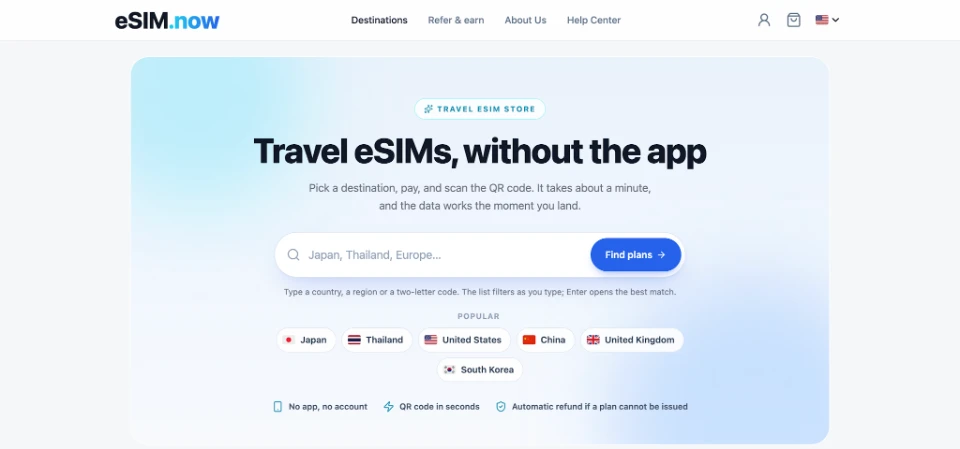
It makes the device rule clear as well: once a travel eSIM has been installed, it is intended to remain on that device rather than move freely between phones. Knowing that before scanning the code makes the safest sequence straightforward:
-
choose the phone that will actually go on the trip;
-
confirm that it supports eSIM and is carrier-unlocked;
-
keep the order information available until that decision is final;
-
install the profile on that device over a reliable internet connection.
In this situation, the useful feature is not just the eSIM itself. It is having enough control over the timing of installation to avoid turning a simple device choice into a transfer problem later.
What If the Phone Breaks During the Trip?
A phone installed with the eSIM can become unusable for reasons that have nothing to do with the plan: a cracked screen, water damage, theft, or complete hardware failure.
That situation is different from simply choosing the wrong phone before departure because the original device may no longer be available at all.
Do not assume that the transfer features offered by a home carrier will also work with a prepaid travel eSIM. Carrier eSIM transfer systems and travel eSIM profiles are separate products with different rules.
If the original phone still works partially, keep the profile installed until the provider confirms what can be done. If the device is completely unavailable, use Wi-Fi or another connection to contact support with the order information.
Depending on the provider and plan, a new travel eSIM purchase may be necessary.
Turning an eSIM Off Is Not the Same as Removing It
Phone settings usually allow an eSIM line to be disabled while leaving the profile stored on the device.
That distinction is useful when troubleshooting or switching between travel plans.
If you do not want the eSIM to connect temporarily, turn the line off. The profile remains available and can normally be enabled again later.
Deleting the profile is different. It removes the installation from the phone.
This is why “cleaning up” the SIM list in the middle of a trip should not be done casually. An old-looking profile may still contain unused data or may be needed again later in the itinerary.
After the Trip, There Is Usually No Need to Rush
Once the journey is over, travelers often want to remove the travel eSIM immediately because they assume leaving it installed might continue generating charges.
For prepaid travel eSIMs, an expired profile generally does not behave like an active monthly subscription.
The current eSIM.now FAQ states that an expired profile does not consume data or create additional cost, so it can be removed later when convenient rather than immediately at the airport.
If you travel frequently, keeping old profiles clearly labeled for a short period can actually make troubleshooting easier. Before the next trip, remove profiles you no longer need and make sure the newly purchased line is the one selected for data.
A Simple Rule Prevents Most Wrong-Device Problems
Treat a travel eSIM QR code as installation information, not as a reusable login.
Buying the plan does not mean you need to scan it immediately. Decide which phone will travel, verify compatibility and unlock status, and only then install the profile.
If you realize afterward that the wrong device was used, keep the profile in place while checking the provider's transfer rules. Deleting first removes one known working state before you know whether another installation is possible.
Most of the problem can be avoided with one small habit: choose the phone first, scan second.