
How to Turn Your Smartphone into a Reliable Push-to-Talk Radio for Team Communication
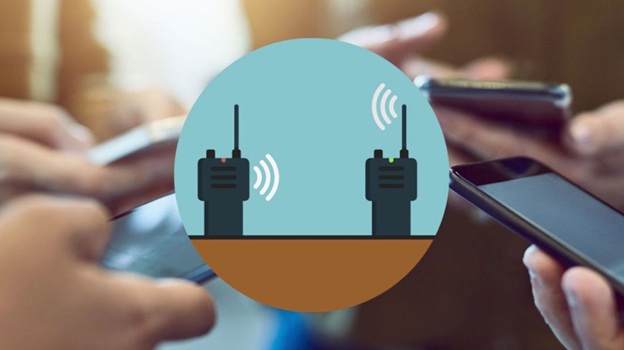
Have you ever wished for instant team communication? Modern smartphones can replace traditional walkie-talkies, offering more features on devices your team already carries. Turning your smartphone into a reliable push-to-talk radio can transform team collaboration for construction sites, event staff, outdoor adventures, and more, enhancing efficiency and productivity across various industries and work environments.
Push-to-talk (PTT) technology brings walkie-talkie convenience to smartphones, enabling instant communication with a simple button press to reach one person or the entire team, enhancing coordination and responsiveness in time-sensitive situations.
Why Use Your Smartphone as a Push-to-Talk Radio?
Using a smartphone as a push-to-talk device offers several benefits, including convenience and cost-effectiveness. Unlike traditional PTT radios, smartphones eliminate the need for additional hardware costs and leverage a device you already own. They're also lightweight and easy to carry. Modern PTT apps provide enhanced features like multimedia sharing, location tracking, and integration with other tools, making communication more versatile and efficient.
Plus, smartphones offer wider coverage through cellular networks and Wi-Fi, ensuring your team stays connected even in remote locations.
Benefits of Team Communication
Teams that switch to smartphone-based push-to-talk systems often notice immediate improvements in how they work together. The ability to instantly connect without the delay of phone calls means faster response times and better coordination. This is especially important in fast-moving environments like construction sites, hospitals, event venues, or outdoor expeditions.
With smartphone PTT, you can also easily switch between private conversations and group broadcasts. The best smartphone push to talk solutions enable teams to communicate in real-time across various environments, maintaining connectivity even in challenging conditions. This flexibility allows team leaders to address specific issues with individuals while keeping the entire team informed of major updates.
Optimizing Your Smartphone for Push-to-Talk Performance
Installing a push-to-talk app on smartphones or tablets enables instant communication for remote workers, field teams, and in-vehicle personnel, bridging the gap between mobile devices and traditional two-way radios. Once you've installed the app, several adjustments to your smartphone settings can improve reliability and performance.
Adjusting Phone Settings
To optimize your phone for push-to-talk performance, make a few key adjustments. Turn off battery optimization for the PTT app to prevent it from being shut down in the background. Enable auto-start permissions so the app launches automatically when your phone restarts. Adjust notification settings to ensure PTT alerts are always prominent and audible.
Set the app to "High Priority" in your notification settings. Additionally, disable power-saving modes while on duty, as these can interfere with app performance.
Improving Audio Quality
Clear audio is essential for effective team communication. To achieve this, test different volume levels to find the optimal setting without distortion. Use the phone's equalizer settings, if available, to enhance voice frequencies.
When speaking, hold your phone's microphone about 6 inches from your mouth for the best clarity. Additionally, reduce background noise by moving away from loud machinery or utilizing noise cancellation features in some PTT apps.
What are the Essential Accessories for a Professional PTT Setup
The right accessories can transform your smartphone into a true radio replacement, making it easier and safer to use, especially in demanding work environments.
PTT Buttons and Remote Mics
Several hardware options can add physical PTT buttons to your smartphone, enhancing usability and convenience. These include Bluetooth PTT buttons, which are small and wireless, allowing you to attach them to clothing or equipment and activate the talk function without touching your phone. Wired remote PTT buttons connect to your phone's headphone jack or charging port, providing a physical button similar to traditional radio handsets.
Combined speaker-microphones replicate the functionality of traditional radio mics, featuring built-in speakers and microphones that clip to your clothing, leaving your phone safely in a pocket or holster.
Protective Cases and Mounts
Protect your investment and keep your phone accessible with rugged cases that have military-grade drop protection for harsh environments. Belt holsters keep your phone secure and accessible while moving. Vehicle mounts provide safe and convenient phone use while driving. Waterproof cases protect against moisture in outdoor or wet environments. For teams frequently on the road, using vehicle cell phone boosters can enhance signal strength and maintain reliable communication even in weak coverage areas.
How to Extend Range and Reliability
One challenge when converting smartphones to PTT devices is ensuring reliable coverage across your entire work area. To improve coverage, consider options like Wi-Fi network expansion by adding wireless access points, cellular boosters to amplify weak signals, mesh networks that allow phones to relay messages to each other without cellular coverage, and satellite connectivity for remote teams.
Additionally, prepare for limited network access with apps that have offline modes, local server options for enterprise PTT solutions, and hybrid radio systems that combine smartphone PTT with traditional radio frequencies for seamless communication in remote areas.
Conclusion
Turning your smartphone into a reliable push-to-talk radio offers a convenient and cost-effective solution for team communication. By selecting the right app, setting up your system, and leveraging advanced features, you can enhance your team's communication and productivity. Whether you're managing a construction site or coordinating events, smartphone push-to-talk technology provides a flexible and efficient way to stay connected with your team.