
How to Trace a Mobile Number's Exact Location on a Map in 2025
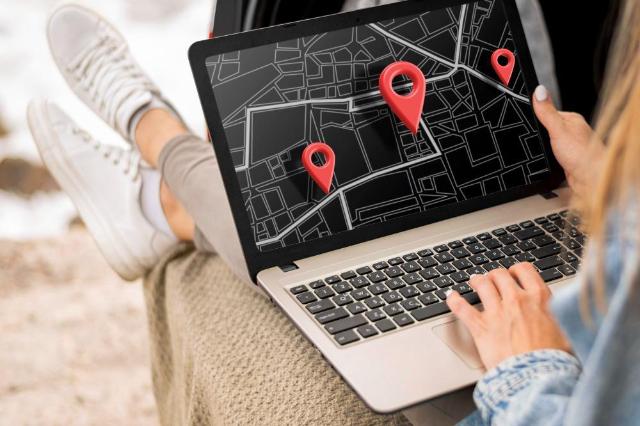
Designed by Freepik
Did you know that over 40 million people in the United States misplace their phones each year? That's a staggering number of devices, each holding our contacts, photos, and personal information, just waiting to be found. Losing a phone feels like losing a part of yourself. But what if there was a way to find it, or even locate a loved one for peace of mind?
It might sound like something out of a spy movie, but tracing a mobile number to its exact location on a map is more accessible than you think. Whether you're a parent wanting to ensure your child got to their friend's house safely, or you’ve simply misplaced your own device, technology offers solutions.
In this guide, we'll explore the methods you can use to trace a phone's location. We will cover built-in tools, third-party apps, and specialized services. You'll learn how these tools work, their limitations, and the importance of using them ethically.
Can You Really Track a Phone with Just a Number?
Yes, you can. The technology behind locating a phone is quite sophisticated. Modern smartphones are equipped with GPS (Global Positioning System) receivers that communicate with satellites to pinpoint their exact coordinates. This is the same technology that powers navigation apps like Google Maps.
When you use a tracking service, it sends a request to the target device. Once the person on the other end grants permission (usually by clicking a link), their phone's GPS data is shared. This allows you to see their live location on a map. So, while you can't secretly track someone without their knowledge and consent, you can certainly locate a phone if the user allows it.
Methods for Tracing a Mobile Number
There are several ways to locate a phone. Some are free and built into your device, while others are paid services that offer more advanced features. Let's explore the most common options.
1. Using Built-in "Find My" Services
Most modern smartphones come with pre-installed location-tracking features. These are primarily designed to help you find your own lost or stolen device, but they can be used for other purposes with the right permissions.
For Android Users: Find My Device
Google’s Find My Device is a powerful and free tool for all Android users. If you have a Google account linked to your phone, this service is automatically enabled.
How it works:
- Go to the Find My Device website or use the app on another Android device.
- Log in with the Google account associated with the lost phone.
- The service will attempt to locate the device. If successful, you'll see its location on a map.
You can also make the phone ring at full volume (even if it's on silent), lock the device and display a message, or remotely erase all its data as a last resort. This feature acts as a basic mobile number tracker with Google Map integration, since it uses Google’s mapping system to display the location.
For iPhone Users: Find My iPhone
Apple’s Find My app serves a similar purpose for iPhones, iPads, and other Apple devices. It’s a robust system that helps you keep track of all your Apple products.
How it works:
- Log in to iCloud.com/find or use the Find My app on another Apple device.
- Select the device you want to locate from your list.
- Its location will appear on a map.
Like Google's service, you can play a sound, enable "Lost Mode" to lock it and display a contact number, or remotely wipe its data. You can also share your location with family members through Family Sharing, making it easy to see where everyone is.
2. Using Third-Party Apps and Services
While built-in tools are great, they have limitations. They often require you to have prior access to the person's device or their account credentials. For a more direct approach that only requires a phone number, you can turn to third-party services.
This is where a service like Scannero comes in. Scannero is a user-friendly platform designed to help you find the location of any phone number with simplicity and precision.
How does Scannero work?
Scannero operates on a simple and transparent principle: consent. You don't need to install any software on the target phone. Instead, the process is as follows:
- Enter the Number: You input the mobile number you wish to locate into the Scannero platform.
- Send a Message: The service creates a text message containing a tracking link. You can customize this message to provide context and make the person feel comfortable.
- Get Consent: The person receives the text message and clicks the link, which grants one-time permission to share their location.
- View the Location: As soon as they consent, you receive a notification and can view their exact location on a map within your Scannero dashboard.
The beauty of this method is its simplicity and its respect for privacy. The person always knows their location is being shared, as they have to actively click the link. This makes it a great tool for concerned parents, friends coordinating a meetup, or even businesses managing field staff.
3. Using a Mobile Number Tracker with Google Map
Many people search for a "mobile number tracker with Google Map" because they want a familiar and reliable interface. Services like Scannero integrate this functionality seamlessly. When the location is found, it is displayed on an easy-to-understand map, often powered by Google Maps' API.
This integration means you get the precise, real-time location data you need, presented in a format you already know how to use. You can zoom in, see nearby streets, and get a clear picture of where the phone is.
Final Thoughts
Losing a phone or worrying about a loved one's whereabouts can be stressful. Fortunately, technology provides effective and easy-to-use solutions. Whether you use the built-in "Find My" features on your device or opt for a dedicated service like Scannero, you have options.
These tools put the power of a mobile number tracker with Google Map right at your fingertips. By understanding how they work and committing to using them ethically, you can gain peace of mind and ensure the safety of your devices and the people you care about. Just remember that with great power comes great responsibility. Always prioritize consent and respect for privacy.