
How to Protect Your Live Stream from Hackers and Unauthorized Access
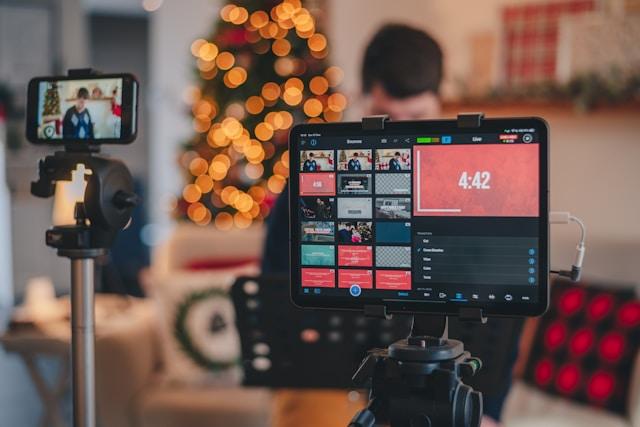
Live streaming has become extremely popular. Whether it’s for gaming, business meetings, or virtual fitness classes, it’s an easy way to connect with people in real time. However, just like any other online activity, live streaming has its risks, especially when it comes to hackers or unauthorized access. Imagine you are hosting a big event, and suddenly, someone hijacks your stream. It will disrupt everything and lead to stealing sensitive information or damaging your reputation. Let’s look through the simple ways to protect your live stream.
1. Use Strong Passwords and Two-Factor Authentication
You’ve probably heard it a million times, but the truth is that you can’t use weak passwords. The classic “123456” or “password” is a huge no-no. Those are just begging for hackers to break into your account. A good rule of thumb is to make your password long, complex, and unique. Mix lowercase and uppercase letters, special characters, and numbers to make it hard to guess. If you are using platforms like Zenrez for booking fitness classes or hosting live workouts, secure video streaming practices should be a top priority for you. Enable two-factor authentication. It’s an easy thing to do, but it makes a huge difference in securing your livestream.
2. Pick a Secure Streaming Platform
When you are streaming live, you want to make sure that the platform you are using takes security seriously. Go for services that offer encryption, like Vimeo or YouTube Live, for instance. It means that everything you are going to stream will be encrypted before it even leaves your device. In such a way, hackers won’t be able to easily intercept or mess with your broadcast. Apart from that, many secure live stream platforms have settings that let you control who can access your stream. For example, you can create private events or restrict access by using passwords. These privacy settings will ensure that only the people you want to be there can actually join. It’s all about keeping your livestream from prying eyes.
3. Monitor Your Stream in Real-Time
Keep an eye on your stream while it’s going on. It's kind of like watching your house while you are away - you’ll notice if something is off. Most streaming platforms will let you see who’s watching and show you a live feed of activity in your chat or comments section even if you are using a private video streaming service. If something weird happens (like an unusual spike in viewers or inappropriate comments), you can jump in and stop it before it gets worse.
If you are running a live stream that has comments or chats, consider getting some help by adding moderators. They will perform chat moderation and block harmful users. In such a way, your audience will enjoy the stream in a safe space.
4. Use Stream Encryption and Password Protection
Always use encryption for your livestream just as an extra layer of security. Many platforms offer a built-in feature, meaning that your content is protected from the moment you start live streaming. Encryption is a perfect way to guarantee that no one can intercept your stream and alter it mid-broadcast. If you are running an exclusive event, password protection is another great idea. It means that only people who have a current password can join. You can only give access to people you trust while keeping unwanted guests out. Passwords are an easy and effective way to maintain control over your content.
5. Avoid Public Wi-Fi for Streaming
Public Wi-Fi can be a tempting option, especially when you are on the go. However, here’s the thing - public networks are a hacker’s playground. Anyone can potentially access your connection if it’s not secure, which is a huge risk when you are live streaming, especially if you run a business or need to share sensitive information. If you have no choice but to use public Wi-Fi (when you are at the airport or in a cafe), make sure that you use a VPN. It encrypts your internet traffic and makes it much more difficult for hackers to intercept your data. This extra layer of protection is definitely worth it.
6. Update Your Devices and Software Regularly
Outdated software is like an open door for hackers. Software companies always release updates to fix security holes, so it’s important to keep everything, such as your operating system, devices, and streaming apps, up to date. When you get those notifications, don’t ignore them. If you are using something like OBS Studio for your live stream, make sure that you are running the latest version. Developers regularly patch vulnerabilities, and you definitely don’t want to miss out on those updates. The same goes for your device’s OS - keeping it updated ensures that you are protected from the latest threats.
7. Be Careful With Third-Party Integrations
Sometimes, we get way too excited about all the cool integrations that live streaming platforms offer, like chatbots, interactive tools, and donation systems. However, third-party apps can introduce security risks if they are not properly vetted. Before you start integrating new tools in your live stream, double-check that they come from trusted sources and follow the best security practices. Also, be mindful of the permissions you are granting. If you don’t need a particular feature, don’t use it. The fewer third-party integrations, the less there is to worry about.
Wrapping It Up: Keep Your Live Stream Secure
Live streaming should be a fun and engaging way to connect with your audience, but you definitely shouldn’t leave your stream vulnerable to hackers or unauthorized access. When you use strong passwords, enable two-factor authentication, pick a secure streaming platform, monitor your stream, and keep everything updated, you’ll be able to keep your live stream secure and have nothing to worry about. Simply put a little bit of extra effort into the process and you can stay safe during all your live streams as well as focus on what really matters: delivering great content to your audience.