
How Digital Binders Transform the Educator's Workflow
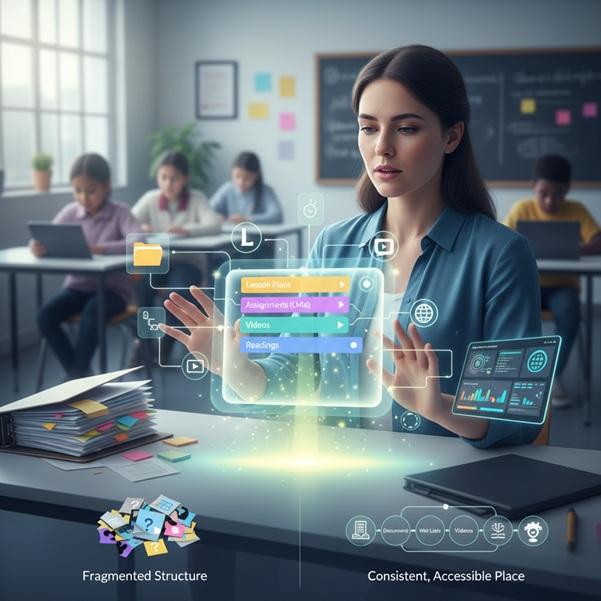
Instructional material management remains central to teaching, yet digital learning has multiplied the volume and complexity of these resources. Lesson plans sit in shared drives, assignments live in an LMS, videos stream from external platforms, and readings scatter across websites. Even with well-developed materials, this fragmented structure complicates daily instruction.
Faced with this challenge, educators are turning to digital binders like LiveBinders to consolidate resources. These platforms organize documents, web links, videos, and assignments within a tabbed structure that mimics traditional binders.
In some cases, schools later expand these organizational practices into broader systems supported by custom edtech software when they require deeper integration or district-wide scalability. However, for most classrooms, the immediate goal is to provide students with a consistent, accessible place to locate instructional materials.
Why Fragmentation Occurs in Digital Classrooms
Modern classroom instruction frequently spans multiple platforms because no single tool provides all desired features. A typical lesson may draw on:
- A slideshow stored in a cloud drive.
- A video explanation hosted externally.
- Text readings provided through a curriculum website.
- A discussion prompt posted in the LMS.
- A digital quiz tool for evaluation.
Each resource serves a purpose, yet the lack of a centralized structure leads to increased cognitive load for students. Even when every resource is available, students may still struggle if they need to remember where each item is located. This can result in repeated questions, delayed lesson transitions, and reduced engagement.
The issue is not the quality of the resources, but the organization of access.
How Digital Binders Address the Issue
Digital binders solve the problem of scattered teaching materials by providing a structured, centralized system. Platforms like LiveBinders use an intuitive tab-based interface that organizes all unit resources in one place. Students can access embedded files, links, and videos directly without switching between different applications.
Key benefits include:
- Centralized access to all materials.
- Clear visual organization through tabs.
- Consistent structure across units.
- Easy updates without redistributing links.
- Device-independent access without downloads.
Classroom Impact and Learning Outcomes
The effects of digital binder use are observable in daily instructional routines:
Reduced Repetition of Directions
Students learn to look in the binder before asking where materials are located.
Improved Student Independence
Predictable structure helps students manage their own workflows, which is particularly useful for make-up work or self-paced learning.
More Time Dedicated to Instruction
With organizational barriers removed, class time shifts away from logistics and toward meaningful learning activities.
Lower Cognitive Load
Students can focus on understanding content rather than remembering platforms and navigation steps.
The organization supports comprehension by reducing unnecessary complexity.
A Practical Example Using LiveBinders
Consider a secondary science teacher organizing a unit on ecosystems.
Without a digital binder:
- Video introductions are shared as a playlist link.
- A reading packet is located in the LMS.
- A lab sheet is emailed to students.
- The assessment rubric is in a separate shared drive folder.
Students ask clarifying questions throughout the unit, not because the material is unclear, but because the location of the material is unclear.
LiveBinders applies a clear and predictable organizational structure to a unit's materials. A Unit Overview section can contain the unit objectives, key vocabulary, and a pacing guide at the beginning. Subsequent sections then house the specific resources for each lesson.
For instance, a Lesson 1: Introduction to Ecosystems section might include an introductory video, guided notes, and a check-for-understanding form.
The following Lesson 2: Food Webs section could contain the assigned reading packet and a diagram assignment.
The Lesson 3: Energy Flow section may hold the lab sheet and a procedural instructional video.
An Assessment section would finally collect the grading rubric, sample student responses, and submission instructions.
This structure ensures all resources are housed in specific, logical sections for easy access.
The instructional content remains exactly the same, but the learning experience becomes more coherent because students always know where to find what they need.
Collaboration and Shared Resource Development
Beyond individual classroom use, LiveBinders supports collaborative resource creation through shared binders and binder shelves. Grade-level teams, departments, instructional coaches, and curriculum coordinators can contribute to shared binders that serve as central repositories for:
- Common unit plans.
- Professional development materials.
- Substitute teacher resources.
- Curriculum framework documentation.
Access to organized binder shelves significantly accelerates onboarding and instructional readiness for new teachers joining a school. These shared resources also establish continuity in instructional practice across teaching teams while simultaneously reducing duplicated effort.
When Schools Require Broader System Integration
While digital binders work well for classrooms, school-wide use requires more advanced capabilities.
Key integration needs include:
- Integration with student information systems.
- Customized data reporting.
- Parent-view dashboards.
- Accessibility or language support functionality.
- Advanced student progress monitoring.
In these cases, the organizational logic established in digital binders often becomes a foundation that informs the design of more comprehensive instructional technology systems.
This is where custom edtech software becomes relevant, particularly when the goal is to align digital tools directly with curriculum structures, assessment models, and school-specific workflows.
Getting Started with LiveBinders: A Simple Approach
Teachers adopting LiveBinders can begin with one unit to develop familiarity:
- Create a new binder and title it clearly.
- Add tabs for each major lesson or theme.
- Add sub-tabs for readings, activities, or resources.
- Embed documents and link videos directly rather than listing URLs.
- Introduce the binder to students and model its use.
Consistency matters more than complexity. A simple, predictable layout is often the most effective.
Conclusion
Digital binders enhance learning not by altering instructional content but by clarifying its presentation. They structure educational resources within a consistent format, which directly reduces student confusion and increases their ownership of the learning process. This organized approach creates more time and space for meaningful educational activities.
A clear organizational structure serves as a fundamental instructional component. Students who can consistently find required materials are better prepared to interact with content, revisit concepts, and take an active role in their learning process.