
How to customize AI-generated logos for different platforms
AI-generated logos offer a quick and affordable way to establish a brand’s identity. But to make a real impact, that logo must perform across various platforms — from social media avatars to print packaging. A one-size-fits-all design rarely delivers optimal results everywhere. Adapting your AI-generated logo for each channel ensures clarity, consistency, and professionalism at every point of contact.
Why platform adaptation is essential, not optional
AI tools are great at generating clean, visually appealing logos. However, without proper customization, those logos can lose readability or meaning in different contexts. A design that looks balanced on a website header may appear cluttered or unreadable when scaled down for an app icon. Every platform has its own technical constraints and audience expectations, and your logo should meet them with precision.
Neglecting platform-specific optimization can weaken your brand identity. Consistency in visual communication builds trust, while poor formatting and distortion create confusion. Customizing your logo ensures it remains effective wherever it appears.
Key formats and sizes to prepare in advance
Different platforms have different requirements, so you’ll need several versions of your logo. For digital use, prepare files in standard pixel sizes for social media, favicons, and email signatures. Print requires vector formats and high-resolution exports. It’s also helpful to have both colored and monochrome versions, as well as designs with and without background transparency.
Maintaining a full set of logo assets reduces friction during content creation and keeps your visual presence sharp and consistent. Proper preparation prevents technical issues and ensures that your brand visuals are always on point.
How to adapt your AI logo for digital platforms
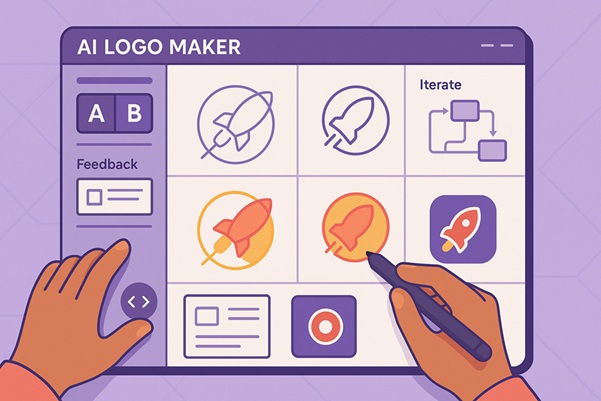
Here are essential steps to tailor your logo for online use:
- Create a favicon and app icon – simplify your main logo to fit small-scale formats clearly
- Adapt for social media – use a square version without intricate details
- Prepare a web-optimized version – include SVG for sharpness and compatibility with light and dark backgrounds
- Use in email signatures – export a lightweight PNG with a transparent background
- Design covers and banners – integrate the logo into layouts for digital headers and ad creatives
These adjustments help maintain clarity and brand presence in digital environments. With the help of AI logo makers, you can ensure that your logo works across devices and screen sizes, reflecting a brand’s attention to detail and professionalism.
Preparing your logo for print and packaging
Digital-friendly logos often fail to translate well to physical media. When preparing your logo for print, convert colors from RGB to CMYK to match printing standards. Always use a vector format to preserve sharpness, and avoid gradients or effects that might not render correctly on paper.
For packaging, resolution is critical. Ensure your logo remains legible at both small and large sizes and that spacing is consistent. A clean, well-prepared print version guarantees your logo looks polished in brochures, business cards, product labels, and beyond.
Which logo elements should be manually adjusted
While AI tools generate a solid foundation, minor manual adjustments are often needed for performance across platforms. Elements like line thickness, spacing, or alignment may require refinement. Simplifying shapes, increasing contrast, or removing minor decorative elements can significantly improve clarity, especially at smaller sizes.
A single tweak can make the difference between a logo that works and one that underperforms. These refinements are not about redesigning — they’re about improving how your existing logo works in real scenarios.
Tools and workflows for effective logo adaptation
Design software like Illustrator or Figma is essential for customizing and exporting logo variations. Set up a brand asset guide to organize your logo files by use case: website, social media, packaging design, and merchandise. Use grid systems and spacing rules to ensure consistency across versions.
Planning multiple versions from the start simplifies future brand deployment. Treat your logo as a flexible system, not a static image, and build tools around it to support consistent implementation across all channels.
Questions and answers
Do I need different logo versions for different platforms?
Yes. A single design won’t be equally effective on Instagram, packaging, and in email footers. Platform-specific versions enhance clarity and brand impact.
Is a PNG from an AI tool enough for all use cases?
No. PNG is suitable for digital screens but not ideal for print or resizing. Vector formats like SVG or PDF are necessary for professional use.
How do I simplify my logo for favicon use?
Use a single letter, icon, or initial. Remove text and fine details to keep the logo recognizable at very small sizes.
Should I manually edit the AI-generated logo?
Yes. Even small edits can improve usability, balance, and clarity. Adjusting details ensures better performance across platforms.
Where should I store all logo versions?
Create a centralized brand folder with clear file names and folders by use case. Cloud storage ensures easy access and team collaboration.