
Building Secure Server Rooms: Why Physical Infrastructure Matters as Much as Cybersecurity
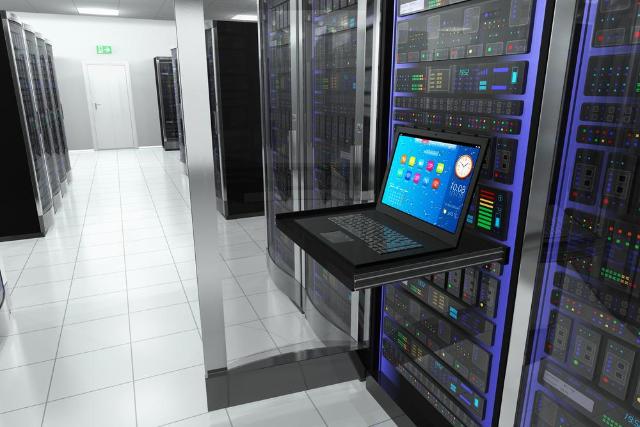
Image Source: depositphotos.com
What do most IT managers worry about? Ransomware attacks, zero-day exploits, phishing scams. What don't they talk about? Shelves creaking under a rackload of servers, UPS batteries left on the floor out of sight until they're needed. Yet such oversights are just as dangerous as cyberattacks, and easier to solve.
While cybersecurity takes all the glory, the physical infrastructure of your server room is often as crucial for its protection and operation.
Why Cybersecurity Is Based On Physical Infrastructure
Let's face it: a firewall won't protect a server overheating because its airflow is blocked by a jungle of cables. An encryption key won't help if you can walk in a server room and pull a plug out. Cybersecurity and physical security aren't separate things to focus on – they're two sides of the same coin.
In fact, according to Uptime Institute data, power remains the primary reason for impactful outages responsible for 45% of all such incidents in 2025 and nearly all of them happen due to failures of UPS batteries. These aren't exotic issues and neither are their solutions: unmaintained batteries left out of the way.
But what it costs is substantial. According to the research, the average cost of downtime is almost $9,000 per minute, with a sizable share of incidents surpassing the mark of $100,000 worth of losses. Even according to the Uptime Institute's own 2025 outage survey, over half of respondents claimed that their last impactful outage cost them over $100,000, with one in five losing more than a million dollars. But those numbers rarely trace back to any hackers – instead, most of them are due to some very mundane factors: an untidy room with no quick access to the necessary equipment.
Common Server Room Issues That Don't Have to Happen
No matter whether you're talking of an industrial enterprise or some small office, there are certain common risks to a server room's security and performance.
Cable management is always the first to suffer. The cable jungle appears as soon as you fail to label cables properly and add too many of them without removing any – until one day you can't tell which cable connects to which. While it looks unpleasant enough, the issue lies far deeper as the accidental cable removal during maintenance is one of the most frequent causes of downtime.
Another common issue is the misuse of storage options. The extra storage drive on the top of a server, the UPS unit on the shelf which wasn't designed to bear its weight, they work until something goes wrong, and then you face either damaged hardware or even a wounded technician.
Unreachable equipment is another problem you might ignore. If the backup switch is hidden behind a few more units, trying to replace it during a disaster takes a precious time you cannot afford and as the Uptime's statistics prove, minutes cost money, and over 40% of companies reported suffering a major outage caused by human errors during the past three years; and for the majority of them, the cause was the failure to follow adequate procedure which often boiled down to impossibility to access necessary equipment due to room design.
Best Practices of Organizing IT Hardware
It doesn't require reinventing anything here all it takes is discipline and proper setup:
- Label everything, always. Cables, connections, racks, anything which isn't obviously marked.
- Organize your gear based on function rather than order of purchase. You'd expect this to happen automatically, but most times it doesn't.
- Don't overcrowd the room with equipment. Leave room to breathe both for the airflow and for a technician to move freely without having to dismantle the towers of boxes.
- Plan your shelves for the necessary weight of stored units.
Organizing and Protecting Critical IT Equipment
A secure server room involves more than just firewalls and access controls. Proper physical storage of IT equipment is equally important for maintaining reliability, efficiency, and ease of maintenance.Spare servers, UPS units, networking equipment, backup devices, replacement components, and maintenance supplies should be stored on durable shelving designed to safely support heavy loads while keeping equipment organised and easy to access. Using heavy-duty shelving designed for commercial storage can help organize these items, improve accessibility during maintenance, and reduce the risk of accidental damage.
It's a small and quite simple fix for a very common problem which you see mentioned in all outage reports each year.
How Does Proper Infrastructure Help Maintenance, Uptime and Security?
Getting the physical layer right makes all the rest easier. Maintenance time is reduced because now your specialists won't need to hunt for the equipment and untangle cable jungle first. Audit becomes faster because you can instantly see where the necessary parts are. And security improves as well. An orderly room helps notice unusual things much easier.
The data of the industry confirms this point: the outage frequency on a per-site basis has been dropping for the past five years in a row, even though the cost per incident has been growing yet the rate of improvement has slowed, and one in ten operators still claims their last outage had serious or severe consequences. But the quieter rooms aren't those which have the newest firewalls. They're those whose operator cared to organize the shelving.
Cybersecurity will always take the headlines. But if you want your server room to be safe in reality, not just on paper, start with making sure you've got the right shelves. It's a cheap and overlooked solution among all possible ones.