Security | Threat Detection | Cyberattacks | DevSecOps | Compliance

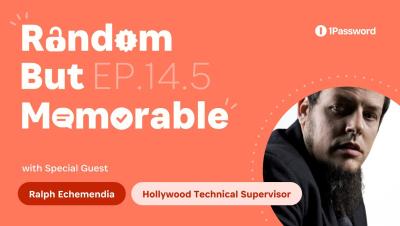
Random but Memorable - Episode 14.5: Triple Hollywood Movie Sabotage with Ralph Echemendia

Why does Hollywood get hacking wrong in so many movies and TV series? In this episode, we invite Ralph Echemendia to share his wild stories of working as a technical supervisor in Hollywood, on award-winning projects like Mr. Robot, Snowden, Savages, and Nerve. We also shine a spotlight on the work Ralph is doing to help the world’s most influential record labels and movie studios protect what they’re working on.

MDM alone can't meet your compliance goals

This blog has been adapted from a section of 1Password’s ebook: “Why MDM isn’t enough for device security”. To read the complete ebook, click here. For years, global regulations and compliance standards have been a primary driver of Mobile Device Management’s (MDM) adoption in the workplace. This is thanks to its ability to force managed devices, en-masse, into meeting basic levels of compliance.

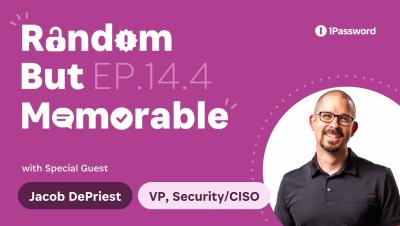
Random but Memorable - Episode 14.4: Security Audit App Ideas with Jacob DePriest

What’s it like to work as a CISO at a security company? This week, 1Password’s VP of Security and CISO, Jacob DePriest, reveals all. Jacob also shares his advice for building strong security teams with diverse perspectives, backgrounds, and skillsets. In Watchtower Weekly, we unpack a novel technique to break into businesses - pretending to offer audits of the company's cybersecurity. Plus, Matt & Roo share their best app ideas in Alternative Security Questions.

MDM vs Device Trust: Balancing security with productivity

Security tools inherently introduce some friction into workflows. However, too much friction can impede employee productivity to such a degree that the broader organization suffers. Historically, this has created a dilemma for CISOs, who struggle with finding the right balance between security and productivity.

New: Add a location to any 1Password item and access what you need, exactly where you need it

Passwords, PINs, and codes aren’t just part of your online world. From hotel safes and Wi-Fi passwords to gym lockers and alarm codes, you often need access to data that’s tied to a specific location in the real world (and in the case of alarm codes, you need it in a hurry). Wouldn’t it make life so much easier if you had a simple, quick way to find those items exactly when and where you need them? Well, now you can, thanks to a new capability in the 1Password app.


1Password policies guide: What they do and how to set them up

Policies are an essential part of every administrator’s digital toolbox. They let you tailor 1Password to your organization’s needs, strengthening security where necessary and making it easier for team members to follow company guidelines and procedures. Don’t worry if you haven’t rolled out any policies yet. Out of the box, 1Password improves your organization’s security by helping everyone use strong passwords and securely share company secrets.